Page two of the search results—rank-wise, around positions 11 to 20. Shown, but barely earning any clicks. Every site has several keywords like this sitting dormant. Push them up just a little so they land on page one, and the clicks jump. That's why "striking-distance keywords" are such tempting candidates: they pay off faster than writing a brand-new article.
But this is where many people pick the wrong ones. They decide "which keyword to work on first" by the highest impressions, or by the highest rank. It sounds reasonable, yet it misses the mark—because some keywords get plenty of impressions but never lead to a purchase. This article first makes clear what striking-distance keywords are, then walks through why picking by impressions or rank misses, why impressions and revenue sit in separate places and are awkward to reconcile, and finally how to pick by revenue opportunity instead.
Contents
This article in brief#
- Striking-distance keywords are the ones ranking roughly at positions 11 to 20—getting shown but not earning clicks. Push them up a little and they land on page one, where the clicks jump
- If you decide which to fix by impressions or rank, you miss the mark, because some keywords get shown a lot but are only being researched, not bought. Lots of impressions is a different thing from lots of revenue
- The basis for picking should be revenue opportunity, not impressions. Rank striking-distance keywords by the clicks you'd gain when they reach position 1 or 3 and the revenue that traffic is likely to bring, and the order to work on them becomes clear
1. What striking-distance keywords are: growth dormant on page two#
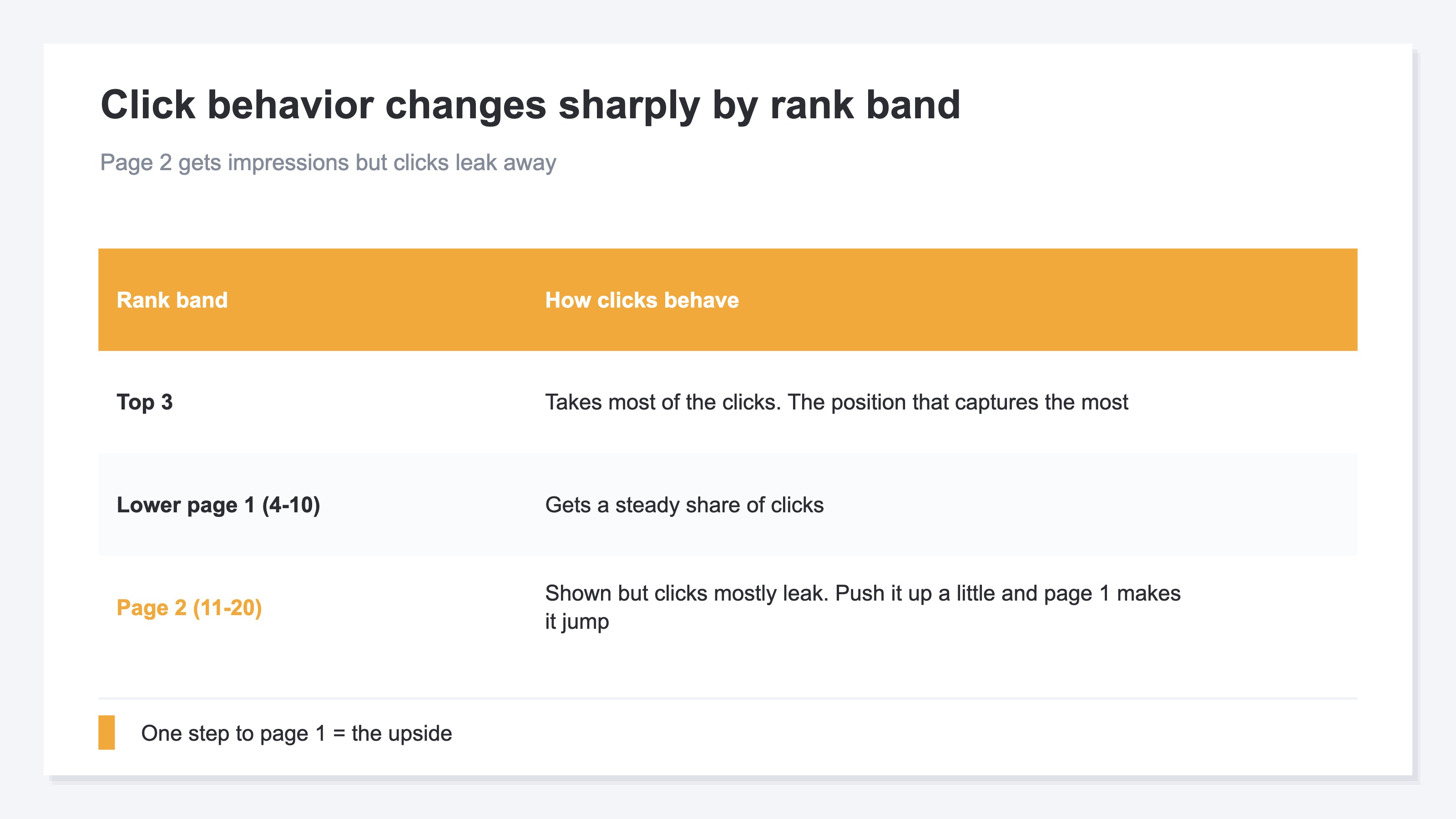
In short, striking-distance keywords are the ones ranking roughly at positions 11 to 20—shown in the results, but not earning clicks.
Whether you land on page one of the results changes how often you get clicked, dramatically. The familiar point is that the top three positions scoop up the bulk of the clicks. So keywords sitting on page two (around positions 11 to 20) get shown, yet almost all of those clicks spill away. Put the other way: nudge them up just a few positions onto page one, and the clicks jump all at once. That's exactly the "one step away" growth waiting there.
Writing a brand-new article from scratch takes time before it bears fruit. By comparison, lightly reworking a page for a keyword that's already being shown, to push its rank up, is far quicker. In fact, it's not unusual to hear that fixing pages that get shown but no clicks paid off more than churning out lots of new ones. The question, when you have several of these "one step away" keywords, is which one to work on first.
2. Picking by impressions or rank misses the mark#
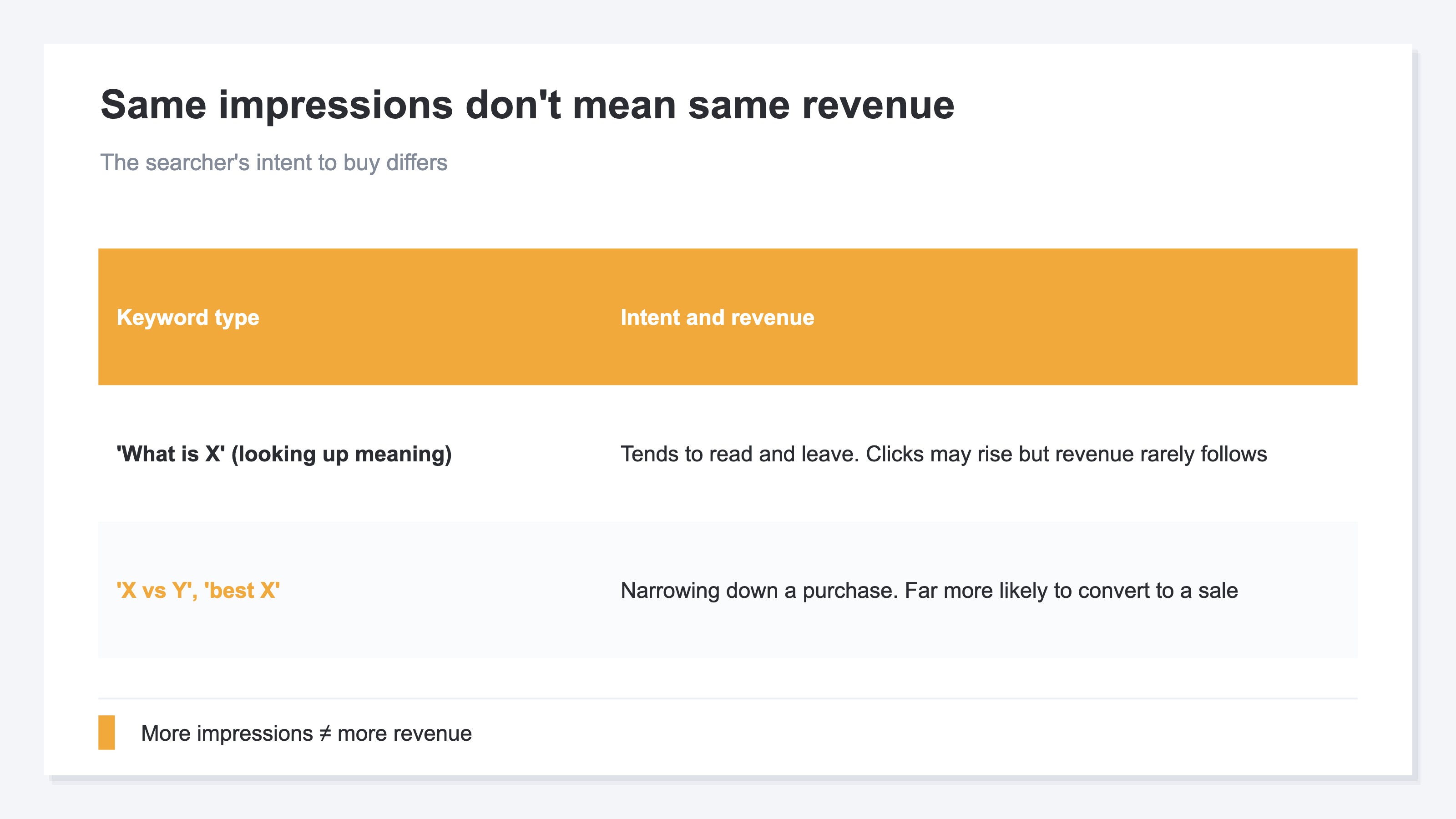
In short, if you pick striking-distance keywords by "highest impressions" or "highest rank," you miss the mark, because some keywords get plenty of impressions but never lead to revenue.
For example, with the same rough impression count, someone searching "what is ○○" and someone searching "○○ comparison" or "best ○○" have completely different intent to buy. The former just wants to know what a word means and often reads, feels satisfied, and leaves. The latter is in the middle of narrowing down what to buy, and tends to convert straight into a purchase. So if you look only at impressions and decide "this one has the most impressions, let's fix it here," you can end up increasing clicks without revenue ever moving.
Picking by the highest rank is the same. Bumping a keyword that's at position 8 today up to 9 or 10 is relatively easy, but if it isn't purchase-minded, revenue barely grows for the effort. Conversely, a keyword that's at position 15 today and looks a bit far off can bring big revenue once you push it onto page one—if the intent to buy is strong. High impressions, near rank, and big revenue are separate things. So you need to shift the basis for picking, from impressions and rank themselves to "does this keyword lead to revenue."
3. Impressions live on the search side, revenue on the site side, hard to reconcile#
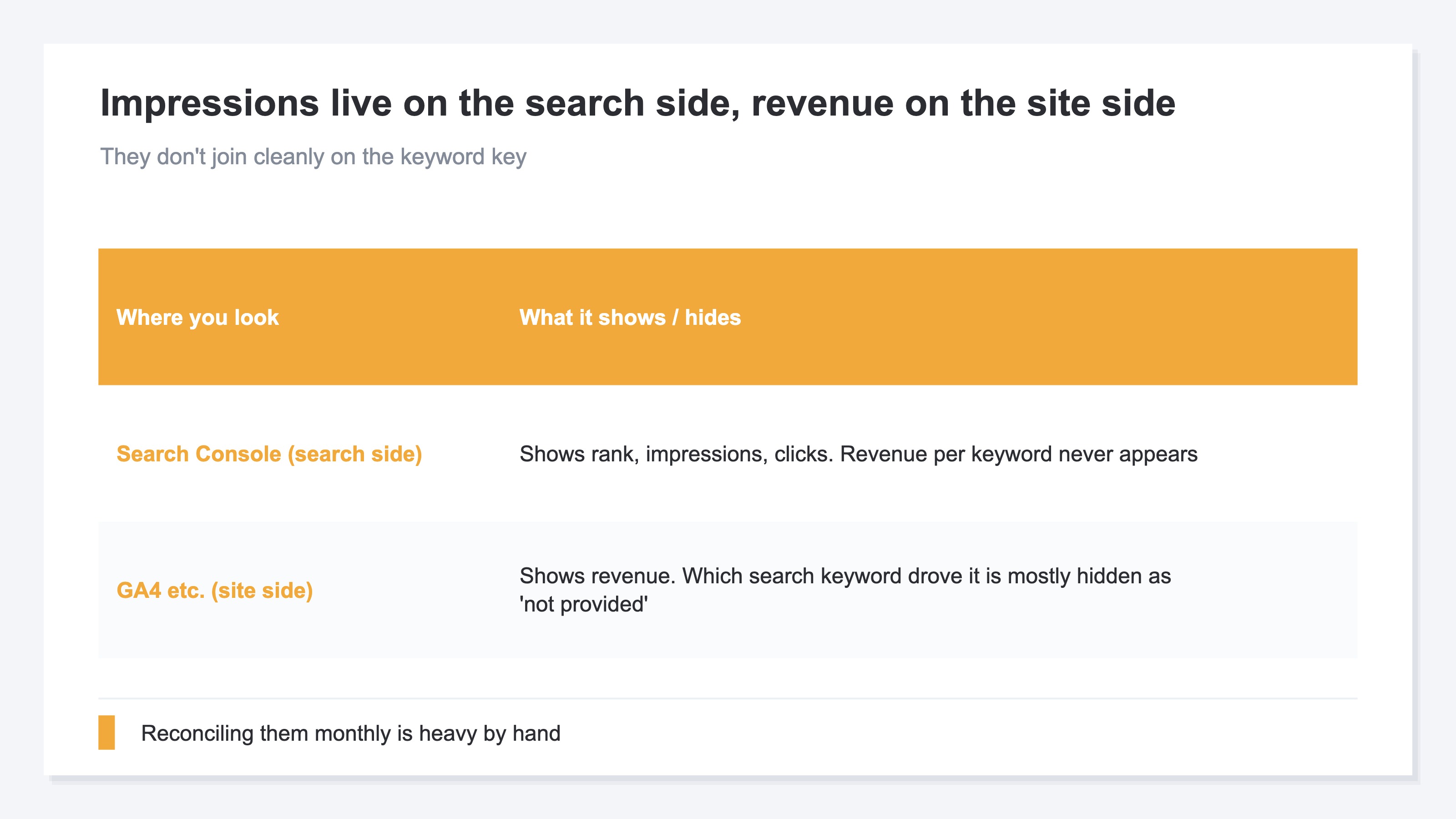
In short, even when you want to pick keywords by revenue, impressions live on the search side and revenue on the site side, and reconciling the two is laborious.
Rank and impressions you can see in Google Search Console (GSC). Filtering for "keywords ranking at positions 11 to 20 with a decent number of impressions" is itself doable with GSC's filters. As a concept, it isn't hard. The trouble is, Google Search Console tells you only as far as clicks and rank. It doesn't show how much revenue came through that keyword.
Revenue, meanwhile, lives in site-side analytics like GA4. But GA4 barely shows which search keyword someone arrived on (it gets lumped into things like "not provided"). So impressions and rank are on the search side, revenue on the site side, and the two don't connect cleanly by the shared key of "keyword." To "rank striking-distance keywords by likely revenue," you end up reconciling the two by hand. Once might be fine, but repeating it every month across dozens or hundreds of keywords isn't realistic. The concept is simple, yet keeping it up is heavy. That's the stumbling block.
RevenueScope — the solution
When you try to pick striking-distance keywords by revenue, you keep hitting the same wall. Impressions and rank are on the search side, revenue on the site side, and they don't connect cleanly per keyword. So "which one to fix for the biggest revenue gain" doesn't line up at a glance.
RevenueScope takes over that ranking for you. It picks up keywords ranking at positions 4 to 20 with a decent number of impressions (= striking-distance keywords), estimates the clicks you'd gain when each is pushed up to a target rank (say, position 3), multiplies that by the revenue search traffic brings (revenue per organic search visit), and orders them by the estimated revenue opportunity, largest first (the figures shown are demo data).
| Keyword | Current rank | Monthly impressions | Added clicks at rank 3 | Estimated revenue opportunity |
|---|---|---|---|---|
| running shoes comparison | 12 | 1,400 | +210 | High |
| protein effect what is | 8 | 3,000 | +160 | Medium |
| yoga mat best | 15 | 900 | +120 | Medium |
| workout routine | 9 | 2,500 | +130 | Low |
The thing to read in this table is the top row, "running shoes comparison." By impressions alone, the second row, "protein effect what is" (3,000), is higher. But the estimated revenue opportunity comes out larger for "comparison," the one with fewer impressions, because a purchase-minded keyword earns more revenue per click. Had you picked by impressions, "what is" would have come out on top—and that's exactly where picking by revenue pays off.
This is an estimated opportunity: it multiplies how readily each rank gets clicked by the revenue per search visit, drawn from Google search data. What RevenueScope specializes in is lining up striking-distance keywords by revenue opportunity, largest first. Layer the rank-raising work and a read on competitiveness on top of that order, and it becomes easier to decide which keyword to spend your limited time on first. RevenueScope lines up the order for that decision by likely revenue rather than impressions.
FAQ#
Frequently asked questions#
Q. Which ranking band do "striking-distance keywords" refer to?
A. There's no firm rule, but the rough guide is positions 11 to 20—page two. That's the band where you get shown but almost all the clicks spill away. Some take a slightly wider view and target positions 4 to 20 (from the lower part of page one through page two). What's common is being in a spot where "you're already shown, and pushing the rank up a little grows the clicks." Keywords completely off the map (like position 100) aren't "one step away," so they're a separate matter.
Q. Is it wrong to fix the keywords with the most impressions first?
A. It's not flat-out wrong, but deciding by impressions alone is risky. Even with high impressions, if a keyword is just being researched for meaning and not bought, more clicks won't move revenue. Conversely, a keyword with few impressions but strong intent to buy can bring big revenue once it lands on page one. The safer way is to separate "how much it's being seen" (impressions) from "how much it leads to revenue."
Q. Can Google Search Console alone tell me the revenue opportunity?
A. Google Search Console on its own can't go that far. It tells you rank, impressions, and clicks, but not the revenue through that keyword. Revenue lives in site-side tools like GA4, which barely show the search keyword. So "ranking striking-distance keywords by likely revenue" requires reconciling the search side and the revenue side. Doing that reconciliation by hand every time is heavy, so having a mechanism that lines them up for you greatly cuts the effort of picking.
Conclusion#
Striking-distance keywords are the ones around positions 11 to 20—getting shown but not earning clicks. Push them up a little and they land on page one, where the clicks jump. They're tempting, fast-paying growth, quicker than writing a new article.
But if you pick which to work on first by impressions or rank, you miss the mark, because some keywords get shown a lot but are only being researched, not bought. You need to separate lots of impressions from lots of revenue.
The basis for picking should be revenue opportunity, not impressions. Rank striking-distance keywords by the clicks you'd gain when their rank improves and the revenue that traffic is likely to bring, and the order to work on them becomes clear. Impressions and rank are on the search side, revenue on the site side, and reconciling them is laborious—but once you can line them up that way, you can spend your limited time on the keywords that work hardest first.
See which ads actually drive revenue, at a glance
Free up to 5,000 sessions/month, AI connection included. No credit card required. Up and running in 5 minutes.