
For ad channels, efficiency is easy to measure with ROAS. The ad cost is clear, so you divide the revenue that ad drove by the ad spend, and you get how much you put in and how much came back. But once you move to channels without ad spend—email, direct, organic search, referral—the same approach stops working. There's no ad cost, so the ROAS formula has nothing to divide by.
A lot of people get stuck here: "I can't get a ROAS for email," "How do I measure the efficiency of channels other than ads?" This article answers that. The short version: the efficiency of non-ad channels is best compared by revenue per session (RPS). RPS puts them on the same terms as your ad channels. We'll walk through, in order, why ROAS can't measure them, what RPS lets you do, and why keeping that comparison aligned by hand turns out to be heavy.
Contents
This article in brief#
- ROAS is calculated as "ad-driven revenue / ad spend." For email, direct, organic search, and referral, there's no ad spend to divide by, so it simply can't be computed. Trying to measure non-ad channel efficiency by ROAS is where you get stuck
- The efficiency of non-ad channels is compared by revenue per session (RPS, the average revenue generated per visit). RPS is "revenue / sessions," so it can be produced for any channel, with or without ad spend. The advantage is it puts non-ad channels on the same terms as your ad channels
- But leveling all channels and comparing them on one screen is heavy work by hand. Only once you've normalized channel grouping, excluded automated-program (bot) traffic, and split out revenue of unknown origin does the side-by-side RPS start to mean something
1. ROAS only works on channels that have an ad cost#
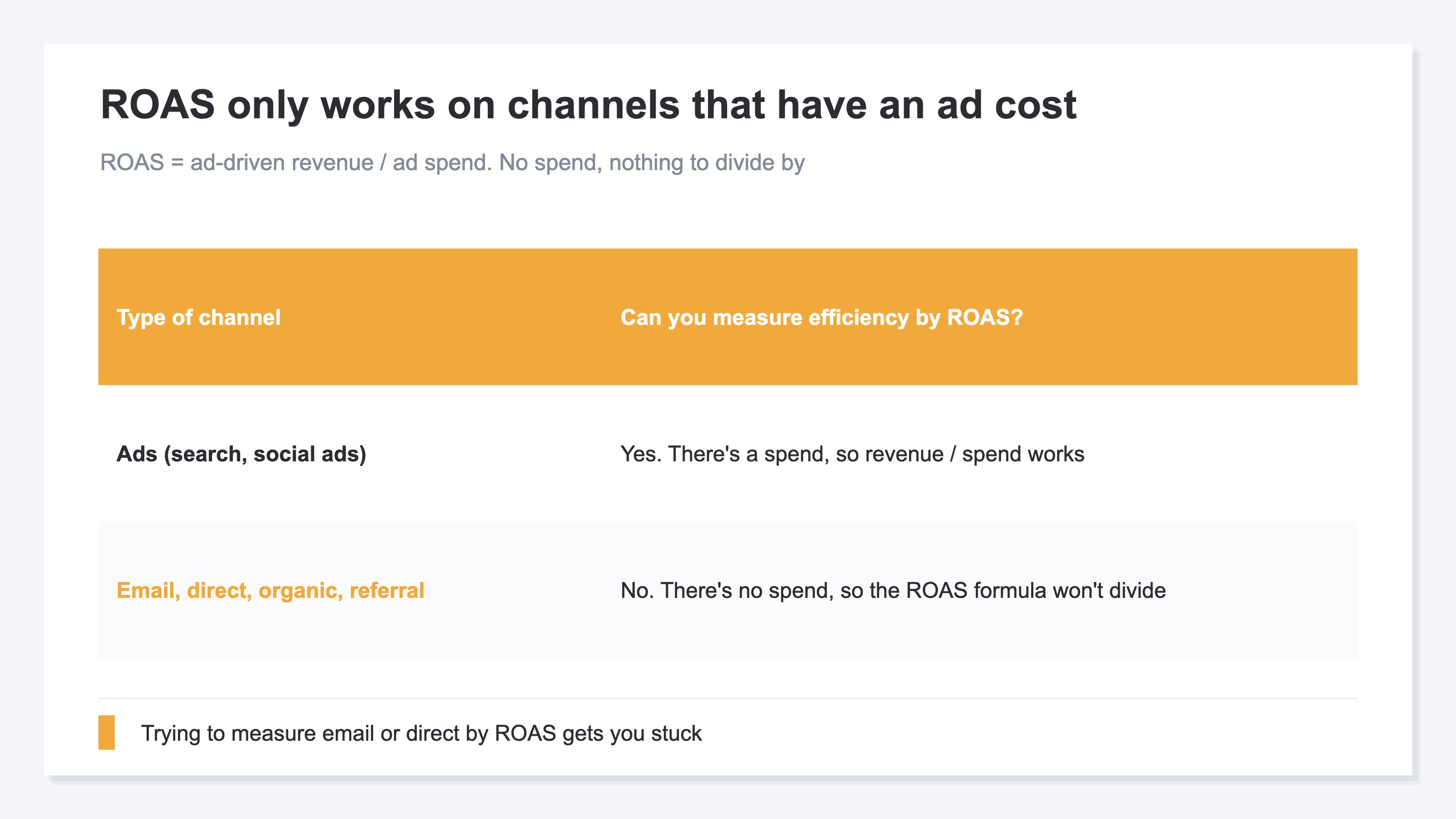
In short, ROAS is a metric you can only produce on channels that have an ad cost. The same formula doesn't apply to non-ad channels.
ROAS stands for Return On Ad Spend, calculated as "ad-driven revenue / ad spend." Spend ¥10,000 on ads and get ¥30,000 in revenue, and the ROAS is 300%—a clear way to show how much your ads returned. But this formula needs ad spend as its denominator. If the denominator is zero, the division doesn't hold.
This is exactly where non-ad channels run into trouble. Email may have a sending cost, but there's no line item of "ad spend." Direct (typing in the URL, arriving via a bookmark), organic search, and referral (arriving via a link from another site) are the same—no ad spend was paid for those visits. So when you try to measure these channels by ROAS, you hit the wall of "no ad spend, nothing to divide by." In fact, lots of people stumble with "I can't get a ROAS for email," but that's not a settings problem—it's because ROAS is, by design, an ads-only metric. If you want to know the efficiency of a non-ad channel, you need a different metric.
2. Compare non-ad channels by revenue per session (RPS)#
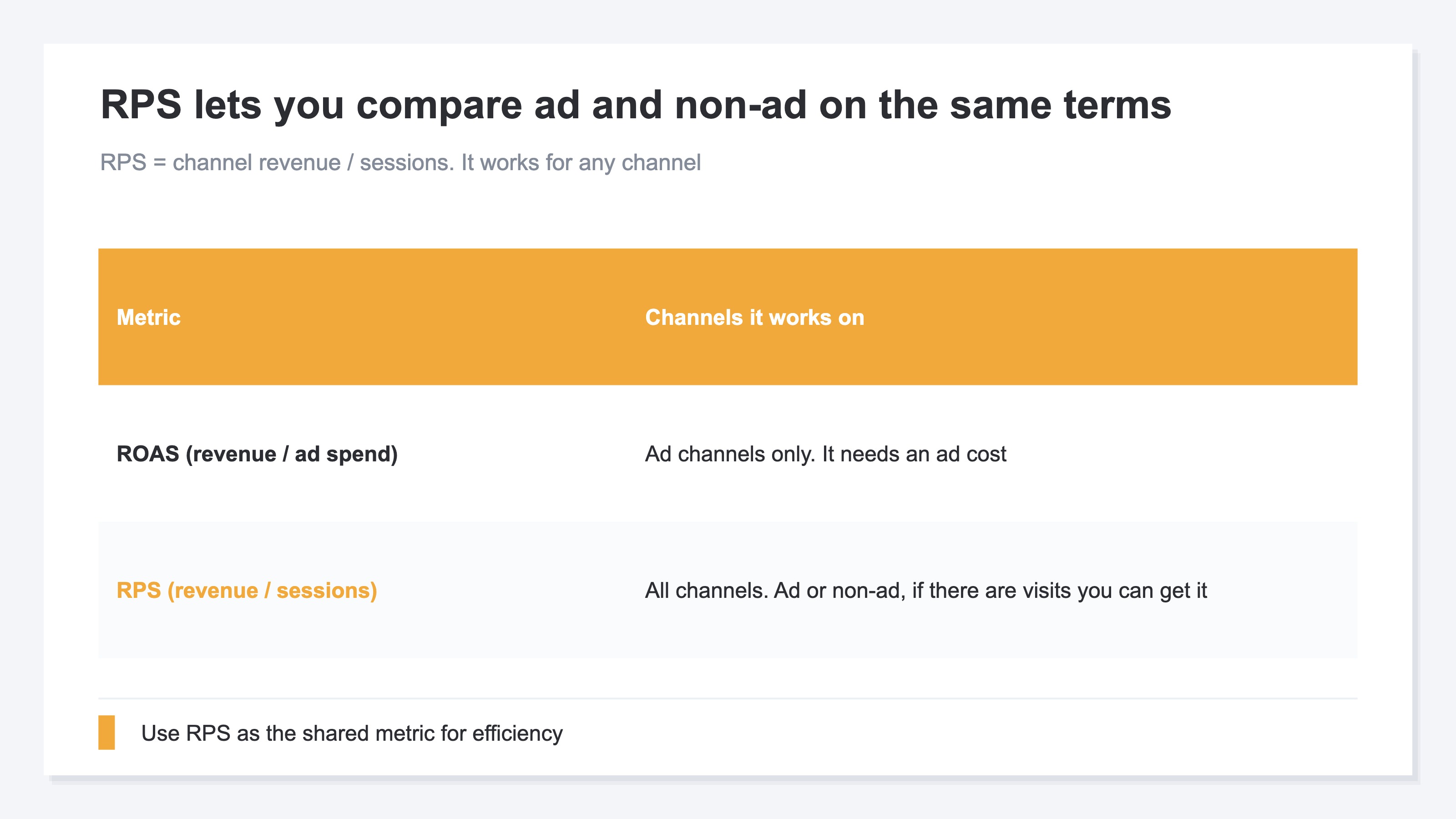
In short, the efficiency of non-ad channels becomes clear when you compare them by revenue per session (RPS).
RPS stands for Revenue Per Session—the average revenue generated per visit. The calculation is "that channel's revenue / that channel's session count." This is the big difference from ROAS: the denominator is sessions (visits), so it works whether or not there's ad spend. Ads, email, direct—if there are visits, you can compute RPS. That's why RPS becomes the shared metric for comparing ad and non-ad channels on the same terms.
Look at it this way, and a non-ad channel's standing becomes clear. For example, email might have few sessions but a high RPS; referral might land in the middle; direct might be high in count but ordinary in RPS—so the weight of a single visit comes into view, channel by channel. The key is not to view non-ad channels in isolation, but to compare all channels—ad channels included—on the same RPS metric. Only by leveling them on the same terms can you judge whether "this channel is earning for its visits, or not." Just because you can't get a ROAS doesn't mean you can't measure a non-ad channel's efficiency. Swap the metric for RPS, and you can compare them properly.
3. Leveling all channels onto one screen is heavy by hand#
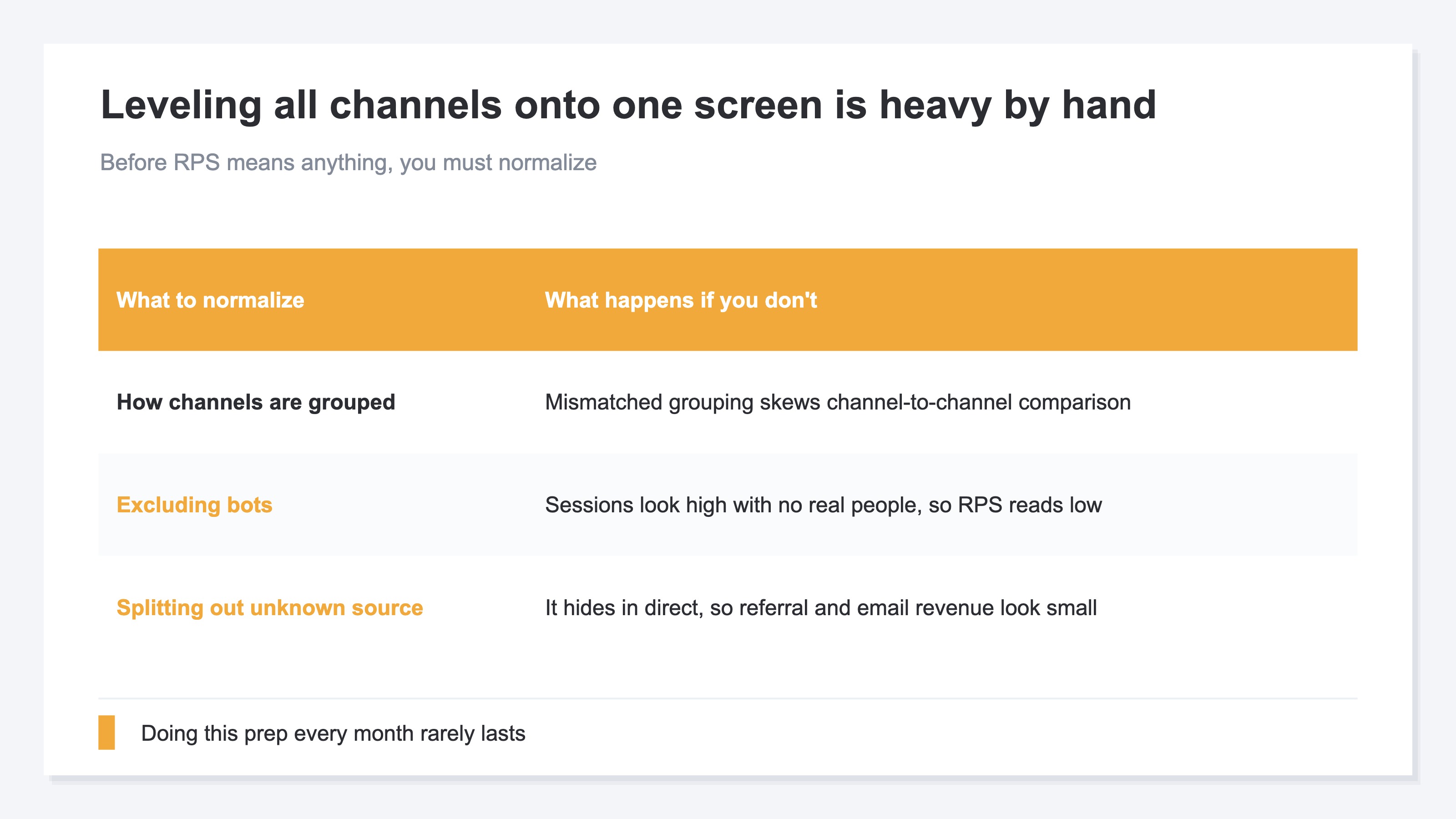
In short, leveling all channels onto RPS and comparing them on one screen is, in itself, surprisingly heavy work by hand.
The idea isn't difficult. Analytics like GA4 will show you sessions and revenue by channel. Pull that out, divide revenue by sessions, and you have RPS. For one channel, just once, you can copy it into a spreadsheet and compute it quickly. The problem is whether you can keep all channels—ads included—aligned on the same terms, accurately, every month.
There are several places to trip up. First, unless you standardize how channels are grouped, the comparison drifts. Next, when automated-program (bot) traffic is mixed in, sessions look high even though no real person came, and RPS comes out lower than it really is. Furthermore, revenue of "unknown origin"—where you can't tell which channel it came through—hides inside the direct bucket, making referral and email revenue look smaller than it really is. Only once you've leveled these out does the side-by-side RPS start to mean something. The idea is simple, but doing this prep every month and keeping all channels, ad and non-ad, lined up on one screen is hard to sustain by hand. On top of that, GA4 doesn't offer a single screen that levels ads and non-ads onto RPS and compares them. You can see per-channel numbers, but the extra step of lining up efficiency ends up on your side.
RevenueScope — the solution
When you try to pin down the efficiency of non-ad channels, you keep hitting the same wall: can you level ads and non-ads onto the same RPS metric, even out bots and unknown origin, and compare them on one screen month after month?
RevenueScope takes that comparison off your hands. It shows each channel's sessions, revenue, and revenue per session (RPS) on one screen—ads and non-ads together. The figures are after excluding automated-program (bot) traffic, and revenue that didn't tie to any channel—"unattributed"—is split out as a separate row (the figures shown are demo data).
| Channel | Sessions | Ad spend | Revenue | ROAS | Revenue per session (RPS) |
|---|---|---|---|---|---|
| Ads | 3,000 | ¥120,000 | ¥360,000 | 3.0x | ¥120 |
| 1,200 | — | ¥240,000 | n/a | ¥200 | |
| Referral | 2,000 | — | ¥180,000 | n/a | ¥90 |
| Organic search | 8,000 | — | ¥560,000 | n/a | ¥70 |
| Direct | 4,000 | — | ¥200,000 | n/a | ¥50 |
| Unattributed | — | — | ¥120,000 | — | — |
The bottom row, "Unattributed," is revenue that didn't tie to any channel. Splitting it out as a separate row prevents referral and email revenue from looking smaller than it really is by hiding inside direct (since it isn't tied to sessions, no revenue per session is shown).
The thing to read in this table is the ROAS column. Ads have an ad cost, so a ROAS (3.0x) can be computed; email, referral, organic search, and direct have no ad spend, so a ROAS can't be produced. That's why, to compare ads and non-ads on the same terms, you use RPS—the one metric every channel can produce. By RPS, email is highest at ¥200—above ads (¥120). Referral is ¥90, organic search ¥70, direct ¥50. If you only looked at session counts, organic search and direct would stand out; but by the weight of a single visit, email and referral are more efficient. The non-ad standout (email) that you'd never spot by looking at ads alone comes into view. It becomes material for deciding where to push and what to protect.
RevenueScope shows the ad channel's ROAS (computed with ad spend brought in) alongside revenue per session (RPS) across ads and non-ads, together on one screen. Specialized in revenue-based efficiency, it levels all channels, ad and non-ad, onto the same RPS terms and prepares the material to tell apart which channels to grow and which to protect.
FAQ#
Frequently asked questions#
Q. How do I get a ROAS for email?
A. You basically can't get an "ad ROAS" for email. ROAS is calculated as "ad-driven revenue / ad spend," and email has no ad spend, so there's nothing to divide by. Your email tool may display an "ROI" or "attributed revenue," but that's a number the tool aggregates on its own attribution window—it's not the same as an ad ROAS. If you want to measure email's efficiency, revenue per session (RPS) is the fit. Divide email revenue by email sessions, and you get how much email earns per visit—comparable on the same terms as ads and other channels.
Q. How should I use RPS and ROAS differently?
A. A clear split: use ROAS when you want to measure efficiency against ad spend, and RPS when you want to compare channels—ad and non-ad—against each other. ROAS shows "how much the money you spent on ads returned," so it suits budget decisions for ad channels. RPS shows "how much sold per visit," so it works for all channels regardless of ad spend. Use ROAS for ads alone, and RPS to compare the efficiency of the whole, email and direct included.
Q. If a non-ad channel's RPS is low, what should I do?
A. First, separate out why it's low. If direct's RPS is low, for example, the read changes depending on whether those are truly bookmark or direct-entry visits, or whether unknown-origin traffic is hiding inside direct. If it's the latter, fix the prep first (splitting out unknown origin). If email's RPS is low, it's time to revisit the contents of your list or the page you send people to. A high or low RPS is the entry point to "where to fix," not the answer itself. Start by lining all channels up side by side and checking which channel is thin for its visits.
Conclusion#
For ad channels, efficiency can be measured with ROAS. But ROAS is calculated as "ad-driven revenue / ad spend," so it can't be applied to email, direct, organic search, or referral, which have no ad spend—there's nothing to divide by. Stumbling with "I can't get a ROAS for email" isn't a settings problem; it's because ROAS is, by design, an ads-only metric.
The efficiency of non-ad channels is compared by revenue per session (RPS). RPS is "revenue / sessions," so it can be produced for any channel regardless of ad spend. Because it puts them on the same terms as your ad channels, you can compare all channels on one screen and see which is earning for its visits.
But keeping that comparison aligned by hand is heavy work. Channel grouping, excluding bots, splitting out unknown origin—only once you level these out does side-by-side RPS mean something. Before you give up on measuring non-ad channel efficiency just because ROAS won't compute, swap the metric for RPS and compare, once, which channels to grow and which to protect—judged by revenue.
See which ads actually drive revenue, at a glance
Free up to 5,000 sessions/month, AI connection included. No credit card required. Up and running in 5 minutes.