
“Limited by budget” is a status that appears on a Google Ads campaign. A recommended budget is sometimes offered alongside it. This article checks what that recommended budget is an amount for increasing, working from what the official help records.
Contents
TL;DR#
-
The status is not a fault. It tells you that impressions are being left on the table
The official help recommends raising the budget
-
Neither revenue nor profit is among the four factors behind the recommended budget
What the official help records as the effect of applying it is an increase in clicks and impressions
-
Whether raising it is right is settled by the revenue that campaign left behind
Revenue and RPS per campaign are measured on the site's own side, not in the ads admin screen
1. Limited by Budget Is Not a Fault, and It Appears Under Two Conditions#
The first move is usually to apply the recommended budget as it stands, or to raise the average daily budget. That is not a mistake. But what that single move settles reaches impressions and clicks and stops there. The answer on revenue is still outstanding.
According to the official help, this status appears together with budget recommendations in two cases[1]. One is when the campaign is underperforming because of a limited budget. The other is when Maximize Clicks bidding is in use and adjusting the budget could increase traffic[1].
The recommended budget itself appears only when the average daily budget is met frequently, or when the campaign has enough data[1]. If ads are not being shown as often as they could be because the budget is limited, the official help suggests raising it to an amount you are comfortable with[1]. Applying it means filtering the campaign list by status, then choosing a recommended average daily budget or entering your own[1].
What changed in the bidding specification on 17 August 2026 is covered in the target CPA bidding change. What this article deals with is whether to raise the budget while that status is showing.
2. What the Recommended Budget Optimizes For#
What the recommended budget optimizes is impressions and clicks, not revenue.
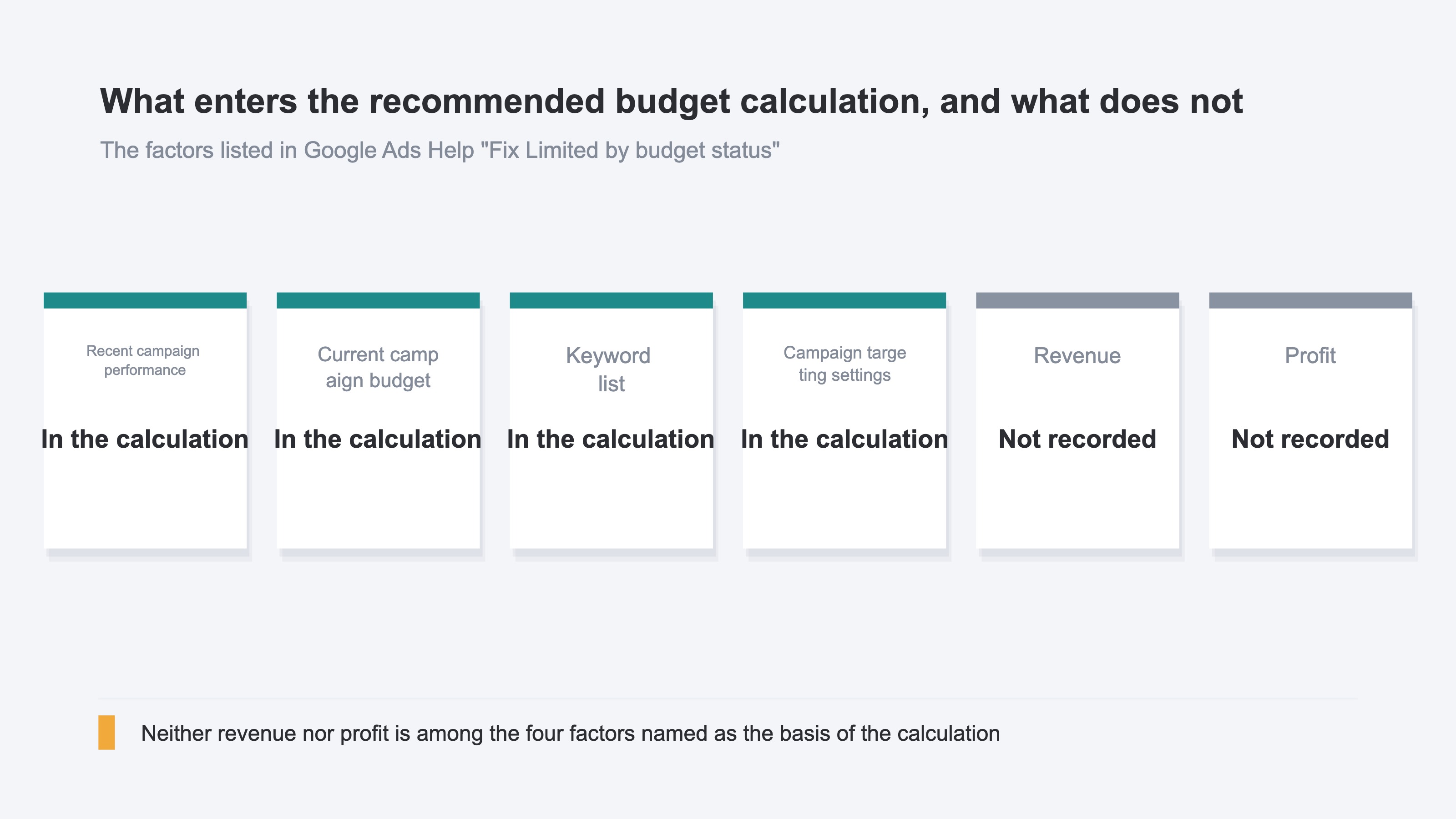
The official help names four factors behind the recommended budget[1]. First, recent campaign performance and the current campaign budget. Then the keyword list and the campaign targeting settings[1]. Neither revenue nor profit is among those four.
The definition points the same way. The recommended average daily budget is described as the estimated lowest budget amount at which impressions would not be lost due to budget constraints[2]. The state it names as desirable is a recent lost impression share due to budget of zero[2]. How to read impression share is covered in when search ad impressions drop.
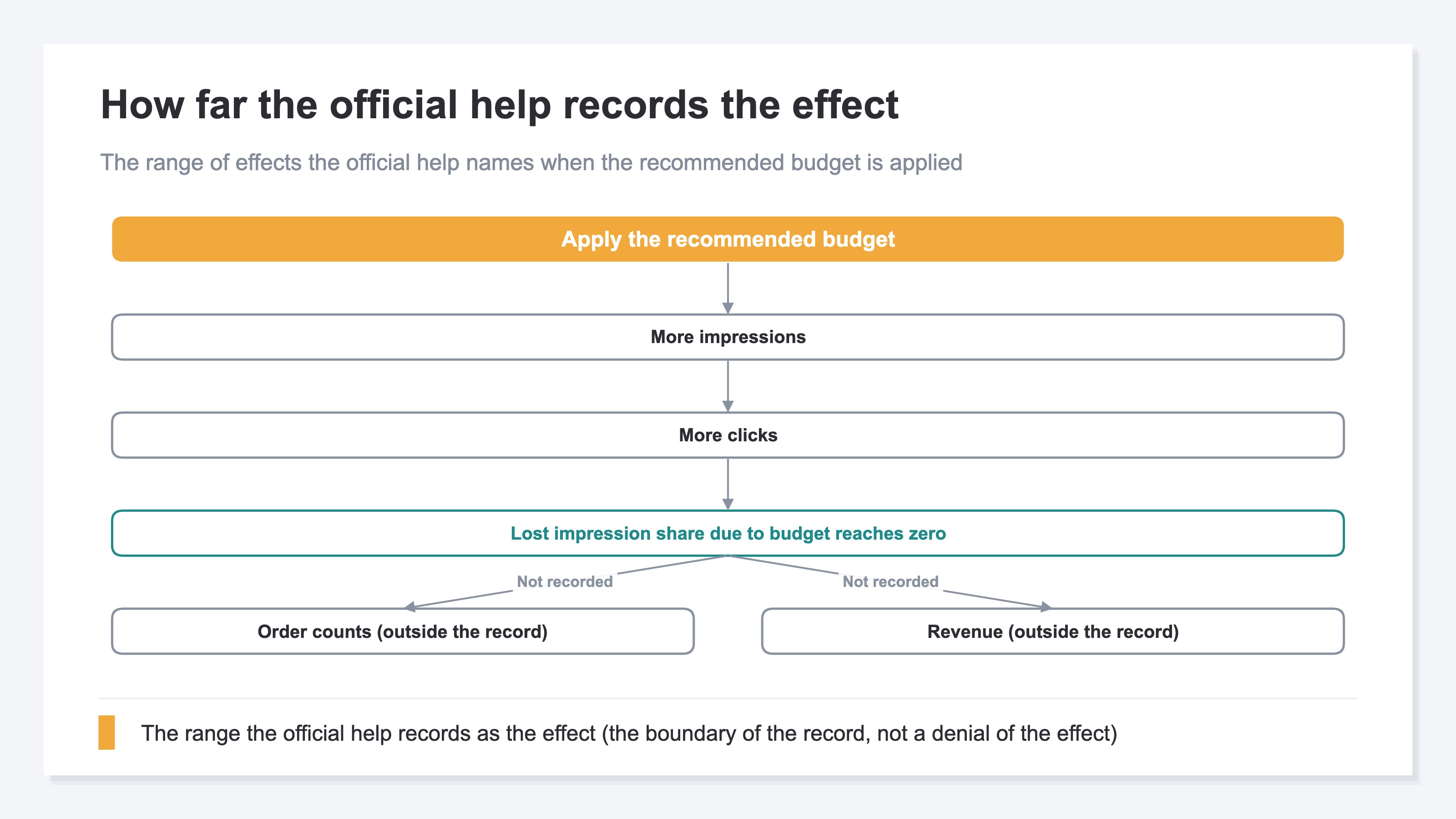
What the official help records as the effect of applying it is an increase in clicks and impressions[1]. The record stops there and does not touch order counts or revenue. This is not a denial of the effect. It means the recorded range ends at that line.
There are screens that produce estimates. The "Bidding and budgets" recommendations carry impact estimates showing how bidding and budget adjustments can grow conversions and conversion values[4]. The budget simulator tool and Performance Planner can also project additional conversions and changes to cost per acquisition if the budget is increased or decreased[5]. But these are Google Ads' own projections, and whether that increment is worth the goal you set is a separate judgement. Only once the presented figures are matched against that goal does applying it become a decision.
The official help itself suggests caution. When the recommended amount would be significantly high, a more conservative budget may be recommended instead, to avoid an unexpectedly high increase in spend[2]. So where does the material for that caution sit?
3. How Far Costs Move When You Raise It#
The average daily budget is not a setting where exactly the same amount is spent every day.
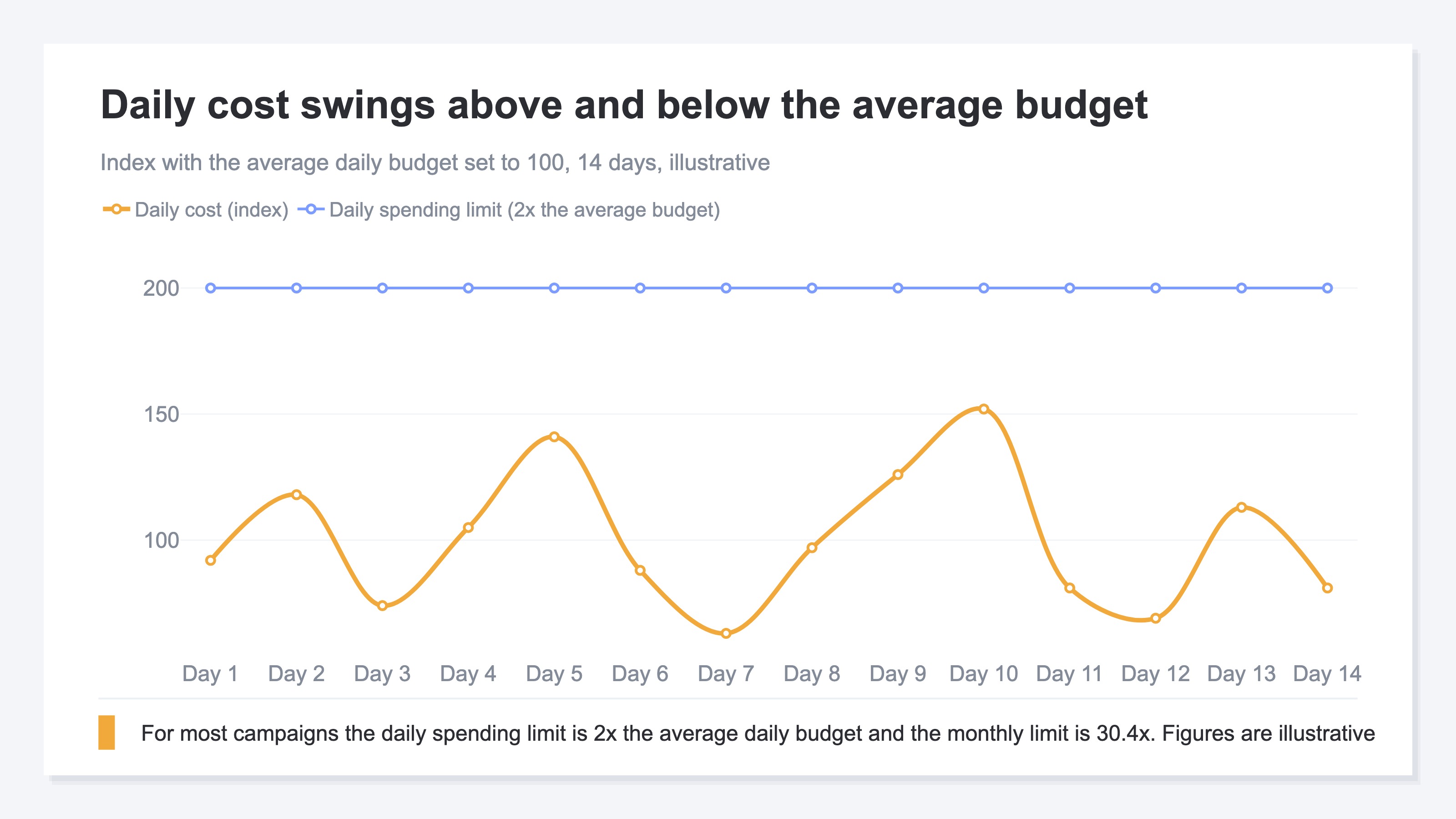
By the official definition, the average daily budget is roughly the amount you are comfortable spending each day over the course of the month[3]. Campaign spend is optimized toward the days of the month when clicks and conversions are more likely[3]. That is why on some days the spend falls short of the average daily budget and on others it goes above it[3].
Two limits are recorded. The daily spending limit for most campaigns is 2x the average daily budget[3]. The monthly spending limit for most campaigns is 30.4x the average daily budget[3].
The arithmetic also runs backwards. In the official example, monthly ad spend of $304 divided by 30.4 gives an average daily budget of $10 a day[3]. If the amount that may be spent in a month is fixed first, the average daily budget follows from it. How efficiency changes once the budget is raised is covered in ad saturation and marginal ROAS. Separating the components after costs have moved is explained in why ROAS dropped.
What raising the budget increases is cost and clicks. How much revenue those clicks left behind is measured on the site's own side. We measured the last 30 days of our own site (revenuescope.jp) with RevenueScope. A visit that arrives from search and a visit that arrives via Direct differ in what the visit contains. Average time on site was about 2.4x longer for Direct, and the bounce rate about 8 points higher. Neither time on site nor bounce rate stands in for revenue, but those two differences alone show that when the traffic changes, what the visit contains changes with it. Knowing that clicks will increase does not settle what the added visits carry.
Matching things up by hand is possible too. Note the costs from the admin screen, then reconcile them against the site's revenue at month end. But noting costs and matching them against revenue takes more name-matching work as campaigns multiply. Nor does that alone assemble the full set of material for a decision.
The record of cost and clicks sits in the ads admin screen. The revenue those clicks left behind is recorded on the site's own side. What is missing is not data but a display of the revenue side per campaign. On the cost side, the reader places the admin screen's values.
RevenueScope solution
Traffic carrying a utm_campaign is broken out and displayed campaign by campaign. Four items are displayed: revenue, RPS, AOV and purchase rate. Revenue is the total of purchases measured on the site's own side, and RPS is revenue per session.
Fictional Store B's search ads, seen campaign by campaign (illustrative)
| Campaign | Revenue | RPS | AOV | Purchase rate |
|---|---|---|---|---|
| Product-name keywords | ¥300,000 | ¥200 | ¥12,500 | 1.6% |
| Problem-led keywords | ¥400,000 | ¥200 | ¥5,000 | 4.0% |
Note: this table is one example (illustrative). The sample store runs on sample data refreshed daily, and opening it from the CTA shows the same four items per campaign on the latest sample data.
RPS is ¥200 for both. Broken down, product-name keywords carry an AOV of ¥12,500 and a purchase rate of 1.6%. Problem-led keywords carry an AOV of ¥5,000 and a purchase rate of 4.0%. At the same ¥200, the move that works before raising the budget is the opposite one in each case. For product-name keywords it is the purchase rate, and for problem-led keywords it is the AOV.
How to use AOV and RPS differently is covered in RPS and AOV.
FAQ#
Frequently asked questions#
Q. Can the “Limited by budget” status be left alone?
A. The official help suggests raising the budget[1]. The same holds when no recommended budget appears. If ads are not being shown as often as they could be because the budget is limited, it suggests raising it to an amount you are comfortable with[1]. Add the revenue that campaign left behind to the material for the decision.
Q. If the recommended budget is applied, how far will costs increase?
A. The way the limits work does not change. The daily spending limit for most campaigns is 2x the average daily budget, and the monthly limit is 30.4x the average daily budget[3]. But raising the average daily budget itself raises the limits with it, at the same multiples.
Q. Why does no recommended budget appear?
A. A recommended budget appears only when the average daily budget is met frequently, or when the campaign has enough data[1]. It is also written that recommended amounts become visible when the budget is limiting the campaign's traffic[2].
Summary#
“Limited by budget” is not a fault. It is a notice that impressions are being left on the table. What the official help records as the effect of applying the recommendation goes as far as an increase in clicks and impressions[1].
Since neither revenue nor profit is among the four factors, whether raising it is right is settled outside that guidance. The daily spending limit for most campaigns is 2x the average daily budget, and the monthly limit is 30.4x the average daily budget[3]. If the amount that may be spent is fixed first, the average daily budget can be worked back from it.
The decision therefore comes down to a revenue question. The campaigns currently marked “Limited by budget” — how much revenue is each one leaving per session?
See which ads actually drive revenue, at a glance
Free up to 2,000 sessions/month, AI connection included. No credit card required. Up and running in 5 minutes.