The Google Ads console shows 10,000 clicks; GA4 shows 8,500 sessions for the same ad over the same period. The gap isn't a fault — it comes from the two counting different things. This article lays out where a click stops being recorded as a visit, and why the size of the gap differs from one path to the next.
Contents
TL;DR#
-
Ad clicks and GA4 sessions are counting different things
Ads counts billable clicks with invalid ones removed; GA4 groups site activity into sessions that close after 30 minutes
-
The places a click stops being recorded are concentrated just before the landing
Exits before the load finishes, redirects, and auto-tagging switched off explain most of it
-
The share that goes unrecorded differs from channel to channel
One figure for the whole site doesn't settle which path to work on next
1. Clicks and Sessions Count Different Things#
The two figures count the same event in different units.
A click in Google Ads is the number of times the ad was clicked, minus whatever was judged invalid — the billable click count. A GA4 session is a group of interactions on the site. It ends after 30 minutes with no interaction, and the next interaction starts a new one[1].
When the units differ, the figures don't agree even with nothing wrong. If the same person clicks the same ad twice within 30 minutes and comes back, Ads counts 2 clicks and GA4 counts 1 session. What the session unit is defined as on its own is laid out in how GA4 event counts differ from sessions.
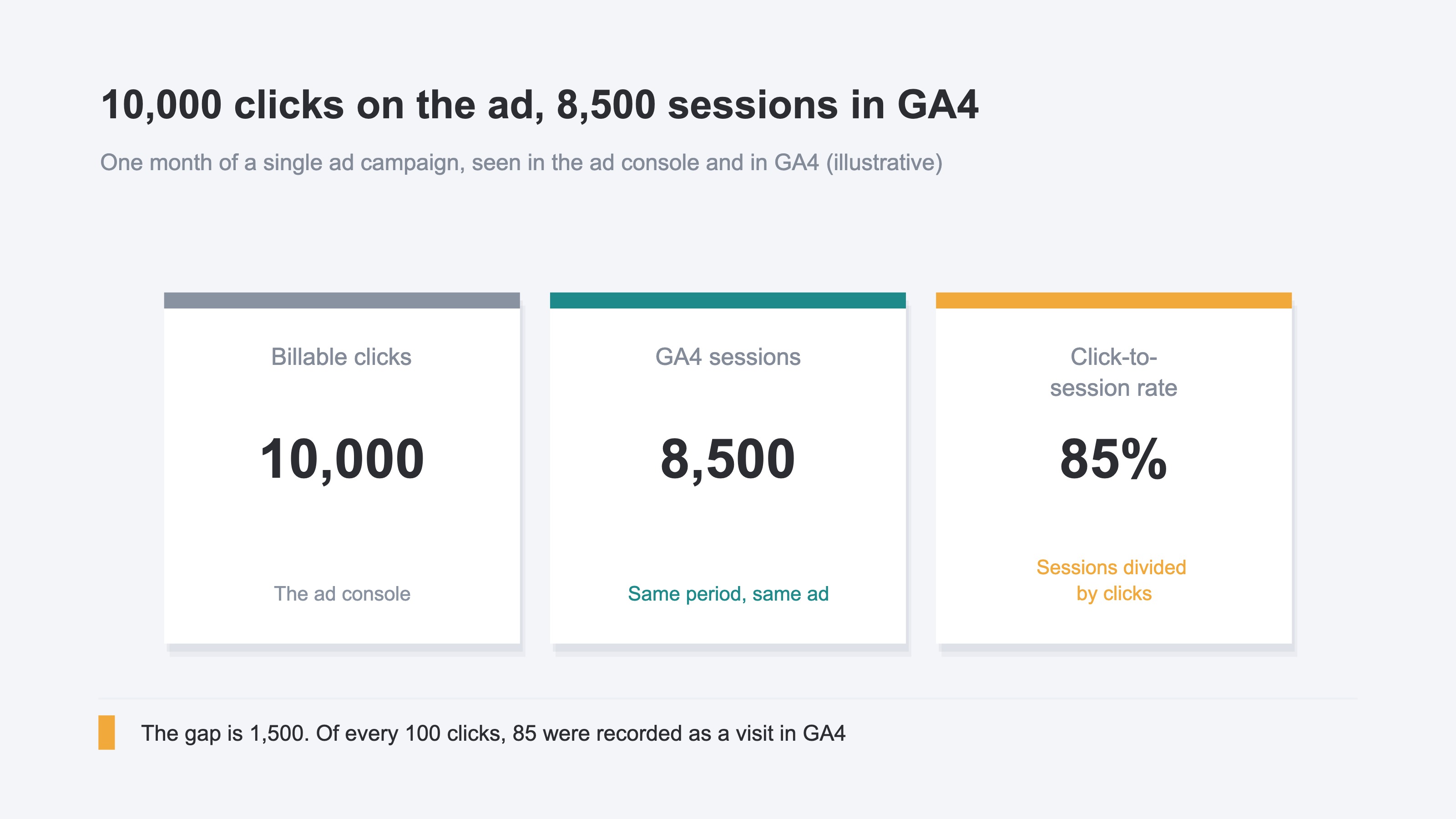
Once you find this gap, there are usually two options. Fix the settings and pull the figures closer together, or leave it alone as noise. The first costs work; the second postpones the decision. Either way, whether the money you spent on ads turned into revenue stays unknown. That is the question worth rebuilding.
2. Most of the Loss Happens Just Before the Landing#
The place the gap opens is the few seconds between the ad being clicked and the measurement tag on the page loading.
There are four main paths.
The most common is an exit before the load finishes. Go back after the click but before the page displays, and the measurement tag hasn't run yet, so no session is recorded. The effect load time has on these two figures is treated on its own in the official material[2].
An ad whose destination redirects to another URL ends the same way, because the gclid can drop out along the route. The gclid is the ID attached to each individual ad click[3].
When auto-tagging is off, the picture is a little different. Auto-tagging is the feature that appends a gclid to the ad's destination URL[4]. With it off, the visit isn't judged to have come from the ad, so the session is recorded and drops out of the ad-side count only.
The remaining path is how the population is drawn. Ads removes the clicks it judged invalid from the start, and GA4 judges bots by its own standard, so the same access can survive on one side only. The difference between exclusion that protects the bill and exclusion that protects the analysis is laid out in invalid click filtering vs bot exclusion.
The direction isn't always the same, either. The official documentation also notes that with auto-tagging on, the session count can come out above the click count[5]. Bookmark a URL carrying a gclid and return to it, and a session with no click behind it gets classified to the ad.
What you can act on yourself is two of them: auto-tagging and redirects. Check the state of the setting, and look at whether the destination has an unnecessary hop in front of it. Neither costs money nor calls for specialist knowledge. The heavy part comes after: add a campaign or swap the landing page, and you redo the same check. Whether it's fixed can't be judged either, unless you compare clicks against sessions per channel every month.
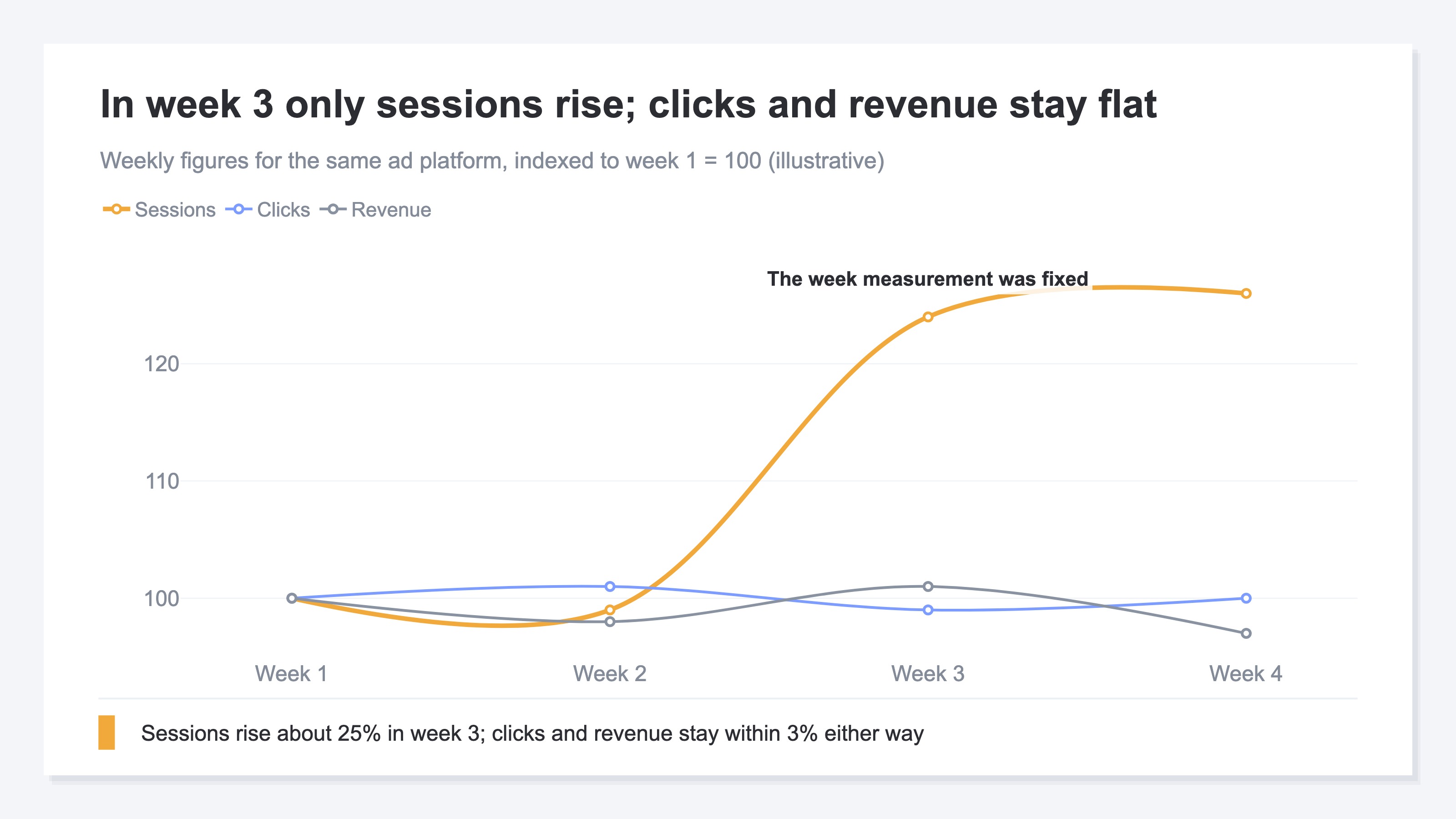
What rises in the week you fix it is the sessions that get recorded, and nothing else. Clicks don't change, and neither does revenue. What increased is not revenue but data you can decide with.
3. The Share That Goes Unrecorded Differs by Channel#
Call the share of clicks that ended up as recorded sessions the click-to-session rate. It doesn't come out as one figure for the site as a whole.
The build of the destination, when the tag was put in, and the time until the page displays all differ by ad platform. Compute one site-wide click-to-session rate and it still doesn't settle which path to work on next.
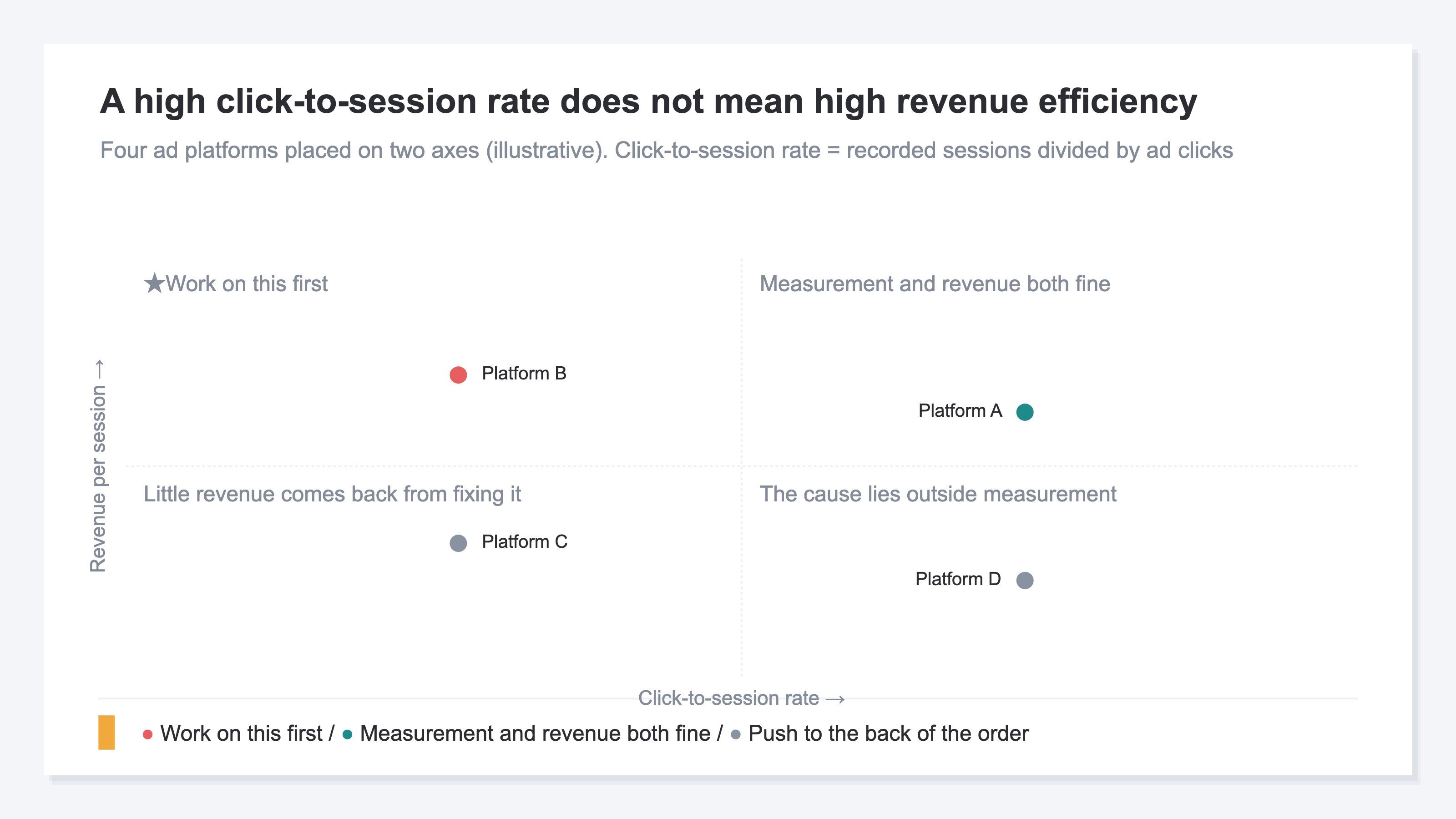
There are two axes to read. The click-to-session rate, and the revenue efficiency that path produces out of what it does manage to record. A path low on both has little to gain from being fixed. A path with a low click-to-session rate and high revenue efficiency, on the other hand, has a strong prospect of revenue sitting behind the visits that went unrecorded, and its priority rises. The two axes are independent, and neither can be read off the other.
If a volume metric jumped in one month alone, a change in reporting scope — as in when Performance Max clicks surge — is one line to consider, and that one is temporary. What this article deals with is the standing gap that repeats every month.
Seeing these two axes per channel takes a reconciliation. You export click counts by platform from the ad console and match them to sessions by source/medium in GA4. What stalls, though, isn't the matching itself but the preparation in front of it. Platform names and source/medium labels don't line up, so the mapping table gets rebuilt, and how the period is cut has to be converted as well. Ads aggregates by the day the click occurred, GA4 by the day the session began. That gets you as far as one division, and next month the same process is waiting.
RevenueScope solution
RevenueScope automates this monthly reconciliation. The click count each platform reports and the sessions and revenue RevenueScope measures are shown in the same channel list. Even here, though, the same labelling problem remains. Where utm_source is set on the ad side — Meta Ads specifying instagram, for instance — the reported figure and the measured sessions can split into separate rows. The wall described in the previous section, that platform names and source/medium labels don't line up, doesn't disappear because the work is automated.
There are two sources. The click count is the ad platform's reported figure passed straight through; it is not measured by RevenueScope. Sessions and revenue are RevenueScope's own measurement. The click-to-session rate is this article's name for the measured session count divided by the reported click count.
Fictional Store Bloomy's ad channels, asked of RevenueScope (illustrative)
| Ad channel | Clicks (reported) | Sessions | Click-to-session rate | RPS |
|---|---|---|---|---|
| Google Ads | 10,000 | 8,500 | 85% | ¥220 |
| Meta Ads | 6,000 | 4,200 | 70% | ¥180 |
| Yahoo! Ads | 3,000 | 900 | 30% | ¥40 |
| LINE Ads | 500 | 450 | 90% | ¥20 |
Note: the table above is one example built for the explanation. The click-to-session rate is not a column on the screen — it is calculated in this article from clicks and sessions. Where utm_source is set on the ad side, as with Meta Ads, the reported figure and the sessions split into separate rows and don't line up in this shape. The sample store that opens from the CTA runs on sample data, refreshed daily, so the same view carries different figures.
Here, RPS means the revenue generated per session. The first thing to catch the eye is Yahoo! Ads at 30%: of 3,000 clicks, 2,100 aren't recorded. But the 900 sessions it did record carry an RPS of ¥40, the lowest of the four. However large the unrecorded volume, the prospect of revenue behind it stays small. Meta Ads, meanwhile, sits at 70%: of 6,000 clicks, 1,800 aren't recorded. RPS is ¥180. Meta Ads is the one to work on first.
Read the click-to-session rate on its own and the healthiest is LINE Ads at 90%. Its sessions number 450, though, an order of magnitude away from the other three. A path with a small denominator swings easily, and 90% is no proof of health. LINE Ads comes out of the decision. A small gap and a healthy path are not the same thing.
FAQ#
Frequently asked questions#
Q. Should we start with the channel that has the lowest click-to-session rate?
A. The rate alone doesn't settle it. Judge it alongside the RPS of the sessions you are recording. On a path where both the click-to-session rate and RPS are low, getting the records back is unlikely to change the allocation decision.
Q. Is the mismatch between GA4 sessions and Google Search Console clicks the same cause?
A. That's a different story. Those are clicks after an appearance in search results, and the main cause is the anonymisation of low-volume queries. The mechanism is in why Search Console clicks don't add up.
Q. Can gaps in conversion counts be explained by the same paths?
A. That one is different too. Gaps in counts bring in how attribution is defined and how duplicates are handled. The factors are laid out in when ad and GA4 CV counts don't match.
Summary#
Google Ads clicks and GA4 sessions don't line up because the two are counting different things. The place the gap opens is concentrated in the few seconds between the click and the measurement tag loading, and with auto-tagging off the visit drops out of the ad classification altogether.
That much is common to every ad channel. What isn't common is the size of the gap: the click-to-session rate varies from one path to the next. What to look at is the click-to-session rate per channel and the revenue efficiency of what is being recorded. The order you work in is set not by how much went unrecorded, but by how strong the prospect of revenue behind it is.
See which ads actually drive revenue, at a glance
Free up to 2,000 sessions/month, AI connection included. No credit card required. Up and running in 5 minutes.
References#
- [1] Google Analytics Help "About Analytics sessions" (2026)
- [2] Google Analytics Help "[UA] Latency and why it impacts Google Ads Clicks and Analytics Sessions [Legacy]" (2026)
- [3] Google Ads Help "Google Click Identifier (GCLID): Definition" (2026)
- [4] Google Ads Help "About auto-tagging" (2026)
- [5] Google Ads Help "Clicks and Sessions Discrepancy for Google Ads and Google Analytics: Troubleshoot" (2026)