When you try to confirm whether an ad is "really driving sales," you run into attribution—the way of evaluating which touchpoint generated the revenue. And one piece that's easy to overlook is the lookback window. With the same ad, how you set this window changes the evaluation.
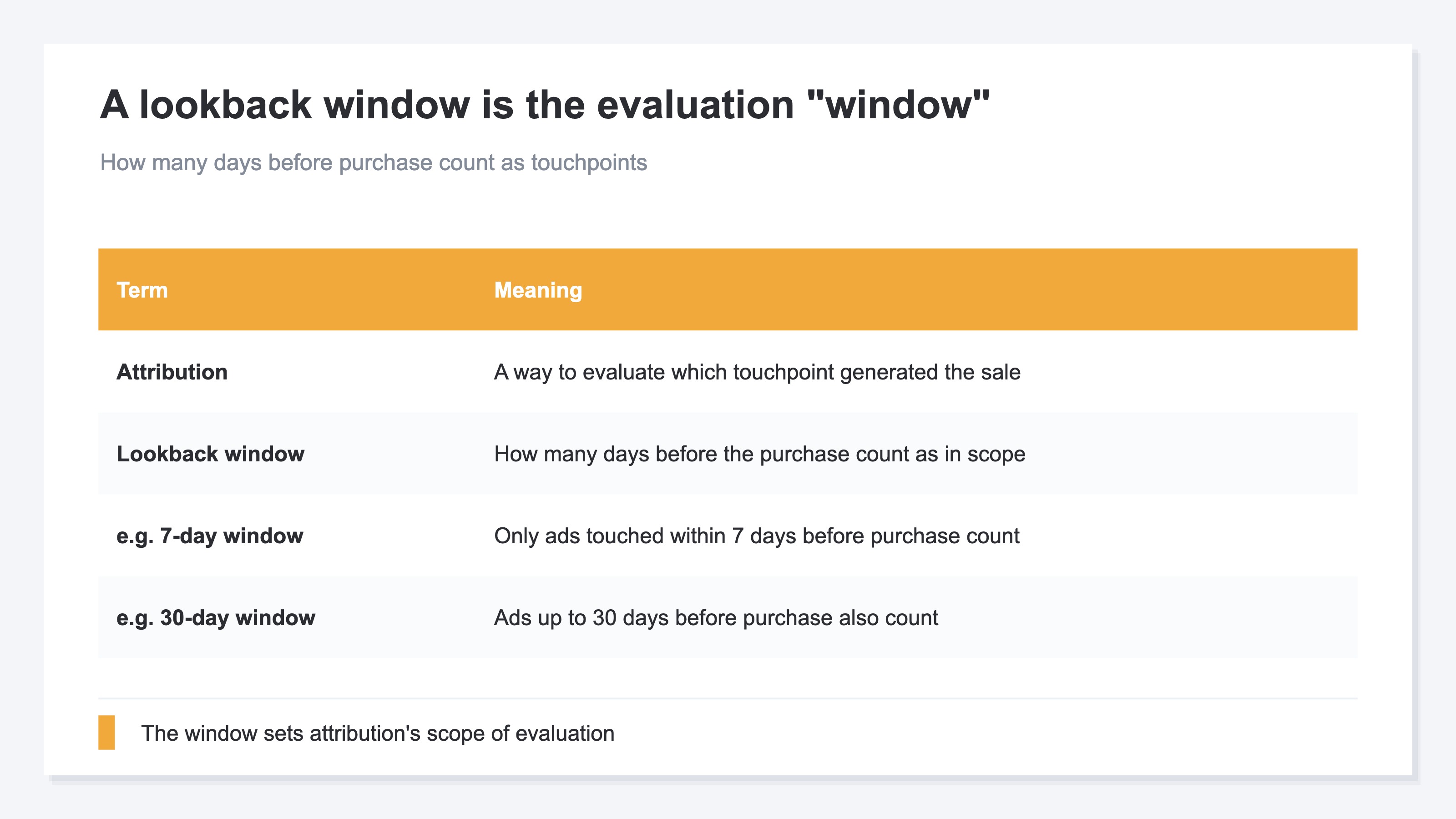
A lookback window (attribution period) is the span of days—the "window"—that decides how many days before a purchase a touchpoint still counts. Set the window to 7 days, and only ads touched within 7 days of the purchase count. Set it to 30 days, and ads from further back come into scope too. So with the same ad, just changing the window changes the revenue credited to it and the number of conversions (purchases and other outcomes). This article walks through, in order, what a lookback window is, why window length shifts the evaluation, and the fact that period and model are two separate settings.
Table of contents
This article in brief#
- A lookback window (attribution period) is the span of days—the "window"—that decides how many days before a purchase a touchpoint still counts
- Whether you set the window to 7 days or 30 days changes the conversions and revenue credited to the same ad. The longer the window, the further-back touchpoints come into scope
- The period (window length) and the model (how credit is split across multiple touchpoints) are separate settings. Switch both, and the same ad's evaluation moves a lot
1. What a lookback window (attribution period) is#
In short, a lookback window is the number of days that decides "how many days before a purchase a touchpoint still counts toward the evaluation."
Customers usually don't buy on a single visit. They see an ad, come back days later through search, and then buy from an email link still later—reaching a purchase through several touchpoints. So how far back before the purchase do you count touchpoints? That "window of days you look back over" is the lookback window.
For example, set the window to 7 days, and only touchpoints within 7 days of the purchase count toward the evaluation. An ad seen 8 days earlier falls out of scope. Widen the window to 30 days, and ads up to 30 days back come into scope. Attribution is the way of evaluating which of these collected touchpoints contributed to the sale—and the lookback window is what decides the "scope" of that evaluation.
2. Window length changes the same ad's conversion count#
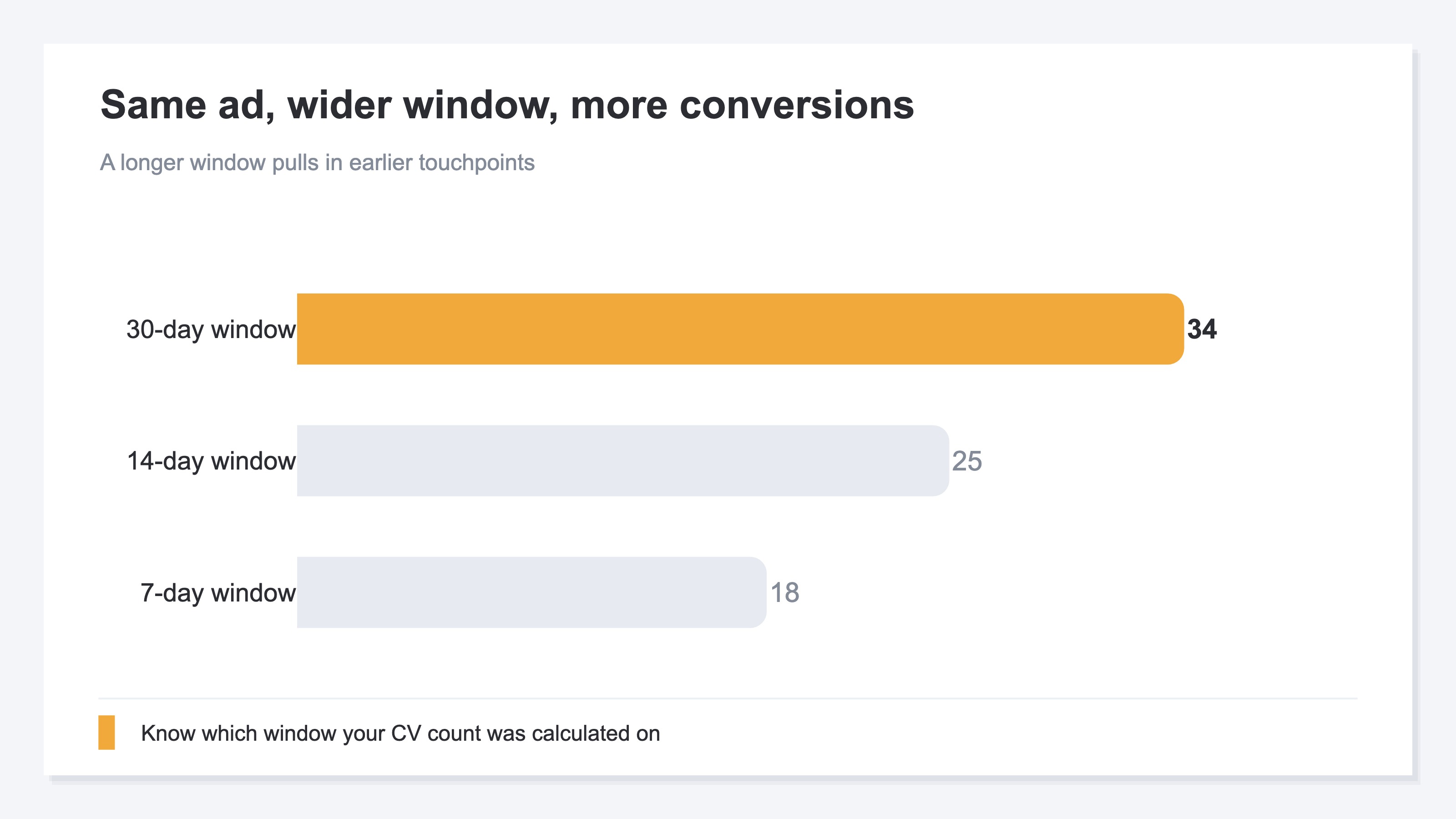
In short, with the exact same ad, the longer you make the window, the more conversions get credited to it.
The idea is simple. If the window is short, only touchpoints right before the purchase come into scope. Widen it, and touchpoints seen long before the purchase come into scope too. In particular, social ads and display ads—which tend to spark awareness—usually have a gap between being seen and the purchase, so the wider the window, the higher their evaluation climbs.
For example, a certain social ad's conversion count is 18 at a 7-day window, 25 at 14 days, and 34 at 30 days—just widening the window changes the number, even though nothing about the ad has changed. This isn't about "which window is correct." What matters is knowing which window the conversion count or revenue you're looking at was calculated on. Compare "ad conversions went up from last month" without aligning the window, and what actually changed may just be the window setting.
3. Period and model are separate settings#
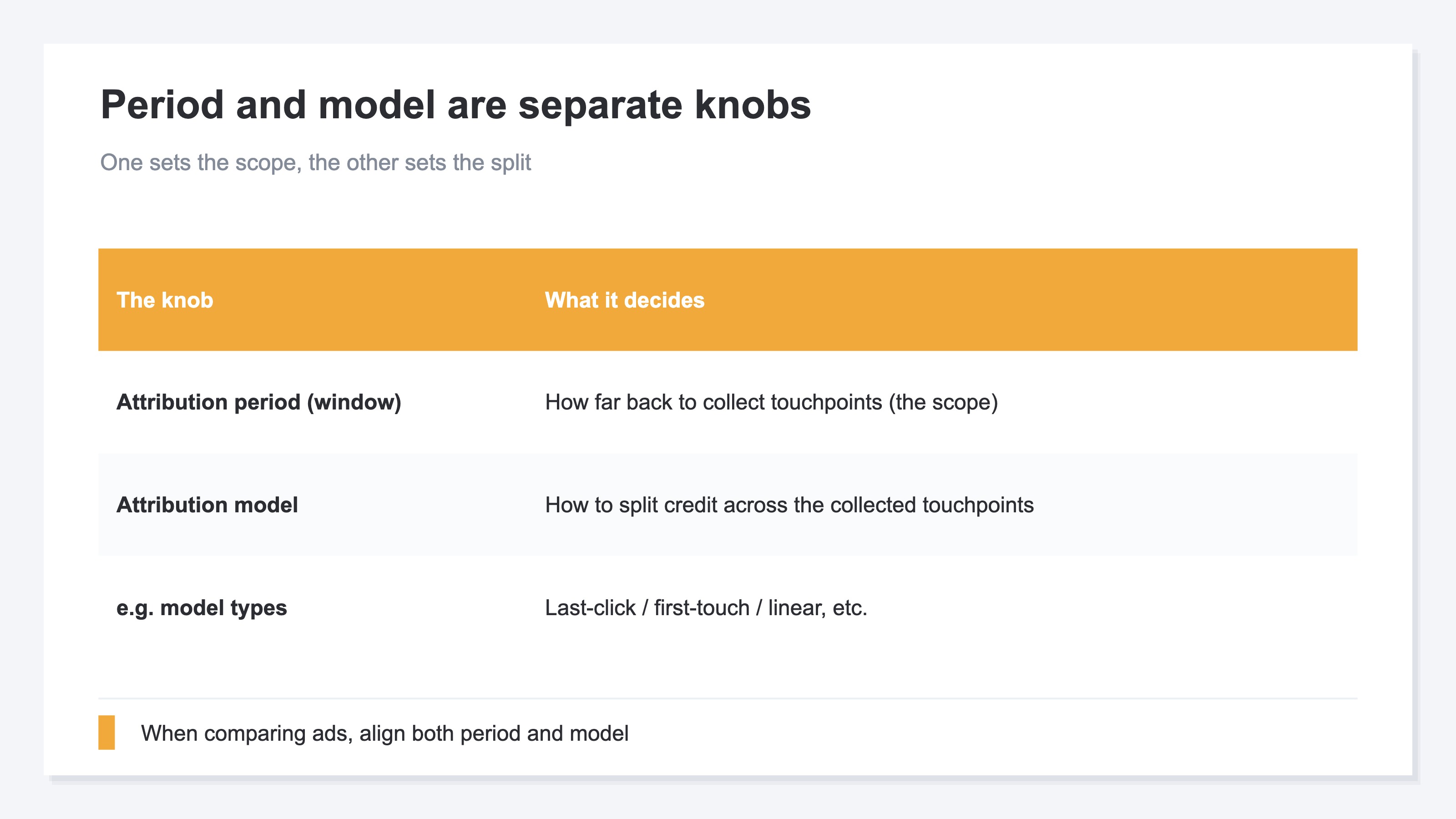
In short, the lookback window (window length) and the attribution model (how credit is split across touchpoints) are separate settings. Confuse them, and you'll misread an ad's evaluation.
The period decides "how far back to collect touchpoints"—that is, the scope. The model, on the other hand, decides "how to split credit for the sale" across the multiple touchpoints you collected. There are several approaches: "last-click," which assigns everything to the final touchpoint; "first-touch," which assigns everything to the first touchpoint; "linear," which splits it evenly across all touchpoints; and so on.
It's easier to picture these two as separate knobs. Widen the window and more touchpoints come into scope; change the model and how credit is split across those touchpoints changes. Move both, and the same ad's evaluation moves a lot. So when you compare ads against each other, you need to align both the period and the model. And switching between this period and model to see how the same traffic gets split across each channel—simple as the idea is—turns out to be quietly heavy work when you have to align it by hand every time.
RevenueScope — the solution
An attribution evaluation changes with the combination of period (window) and model (how credit is split). So to read "which channel is working," you need to switch the settings and compare how the same traffic gets split across each channel. Aligning that by hand on a standard report every time is the wall.
RevenueScope takes that comparison off your hands. Switch the way attribution assigns credit (the model) among last-click, first-touch, linear, and time-decay, and you can compare on one screen how the same traffic gets reassigned across each channel's revenue (the figures shown are demo data).
| Attribution method | Organic search revenue | Social ad revenue | Email revenue |
|---|---|---|---|
| Last-click (final touchpoint) | ¥120,000 | ¥80,000 | ¥300,000 |
| Linear (even across all touchpoints) | ¥180,000 | ¥160,000 | ¥160,000 |
| First-touch (first touchpoint) | ¥260,000 | ¥160,000 | ¥80,000 |
The thing to read in this table is how the evaluation flips when you change the method. Under last-click, email looks highest at ¥300,000—but switch to first-touch, and organic search overtakes it at ¥260,000. Social ad revenue, too, is ¥80,000 at the final touchpoint, but rises to ¥160,000 under first-touch or linear, which credit it as an awareness entry point. With the same traffic, "the channel that's working" looks different depending on the method. RevenueScope switches this method and prepares the material to line up each channel's revenue and compare how it moves.
Let me be clear about one thing. What RevenueScope switches is the attribution model (how credit is split). The period (window) length is part of the attribution settings too, but the mechanism that moves the evaluation is the same—change the method, and how the channels look changes. Which method to use as your baseline is your call.
FAQ#
Frequently asked questions#
Q. How many days should I set the lookback window to?
A. It depends on the product. For something with a short consideration period, like everyday goods, even a short window of around 7 days tends to match reality. For an expensive product that takes time to consider, a 30-day window—or longer—is less likely to miss the touchpoints on the way to purchase. What matters is less "guessing the correct number of days" and more aligning the window across your team and comparing under the same conditions every time. If windows are all over the place, comparing ads against each other doesn't hold up.
Q. If I lengthen the window, the ad's evaluation goes up—isn't that a good deal?
A. Lengthen the window and, yes, the conversion count credited to that ad goes up. But that's only because you "widened the scope"—the ad's actual performance hasn't improved. If anything, you risk pulling far-back touchpoints that have almost nothing to do with the purchase into the evaluation. Think of the window not as a way to "make things look better," but as the setting for deciding a scope that matches your own consideration period.
Q. What's the difference between a lookback window and an attribution model?
A. The period is the scope setting—"how far back to collect touchpoints"—while the model is the split setting—"how to assign credit across the collected touchpoints." As an analogy, the period is like "how wide a frame of the photo to capture," and the model is like "who in that photo to make the star." They're separate settings, so when you compare ads you need to align both.
Summary#
A lookback window (attribution period) is the span of days—the "window"—that decides how many days before a purchase a touchpoint still counts. Whether you set the window to 7 days or 30 days changes the conversions and revenue credited to the same ad. The longer the window, the further-back touchpoints come into the evaluation.
And the period (window length) and the model (how credit is split across touchpoints) are separate settings. Switch both, and the same ad's evaluation moves a lot. So when you compare ads against each other, aligning both the period and the model is essential.
Switching the settings and comparing how the same traffic gets split across each channel—because aligning that by hand every time is heavy, taking it off your plate lets you read which channel is working without being thrown off by the settings.
See which ads actually drive revenue, at a glance
Free up to 5,000 sessions/month, AI connection included. No credit card required. Up and running in 5 minutes.