Paying every month for ads that show no return gets exhausting, and you start wanting to shut the whole thing off. Run an online store and you hit moments where it feels like no ad is working, and that feeling starts to swallow you. But there's one thing worth checking before you pull the plug. The biggest reason it feels like no ad is working is that you're grading the channels that first introduce your product using only the number closest to purchase. There are three minimum numbers to look at before cutting: revenue per session (RPS) by channel, switching the attribution model, and the unattributed revenue that ties to no channel at all. Check these three before you decide, and you'll avoid the mistake of shutting down traffic that's actually working.
Table of contents
Key takeaways#
- The biggest reason it feels like no ad works — the reason you want to cut everything — is that you're grading the channels that introduce your product using only the number closest to purchase (last click). The work an entry channel does never shows up in the exit number.
- The minimum you look at before cutting is three numbers: RPS by channel (revenue per session), switching the attribution model, and the unattributed revenue that ties to no channel. Together these three reveal the gap between how a channel looks and what it actually contributes.
- The only channels safe to cut are the ones low on both — low visibility and low contribution. Kill a channel that looks weak on last click but contributes a lot, and you lose the traffic that's actually succeeding along with it.
1. What's really happening when it feels like no ad works#
When it feels like no ad is working, what's usually happening is that you're grading the channels that introduce your product using only the number closest to purchase.
Most analytics tools, by default, tie revenue only to the last ad that was clicked. This is called last click. The idea of assigning which visit created a sale is called attribution [1], and last click is the method that piles the entire sale onto the final nudge just before purchase.
Under this method, channels that did their work days before the purchase — display ads or social that first made someone aware of your product — show almost zero. They carried the customer right up to the doorstep of the purchase, yet because the final click happened to be email or a branded search, their contribution never gets recorded. Read the numbers from the top and the entry channels alone all look like they're "not working," and you start wanting to shut everything off.
There's a second hasty judgment that piles on top: grading a channel by its click or order count. A channel with few orders gets seen as "small" on that basis alone and gets cut. But a channel can send few visits and still earn a lot per visit. What tells them apart is RPS (Revenue Per Session — the revenue per single visit).
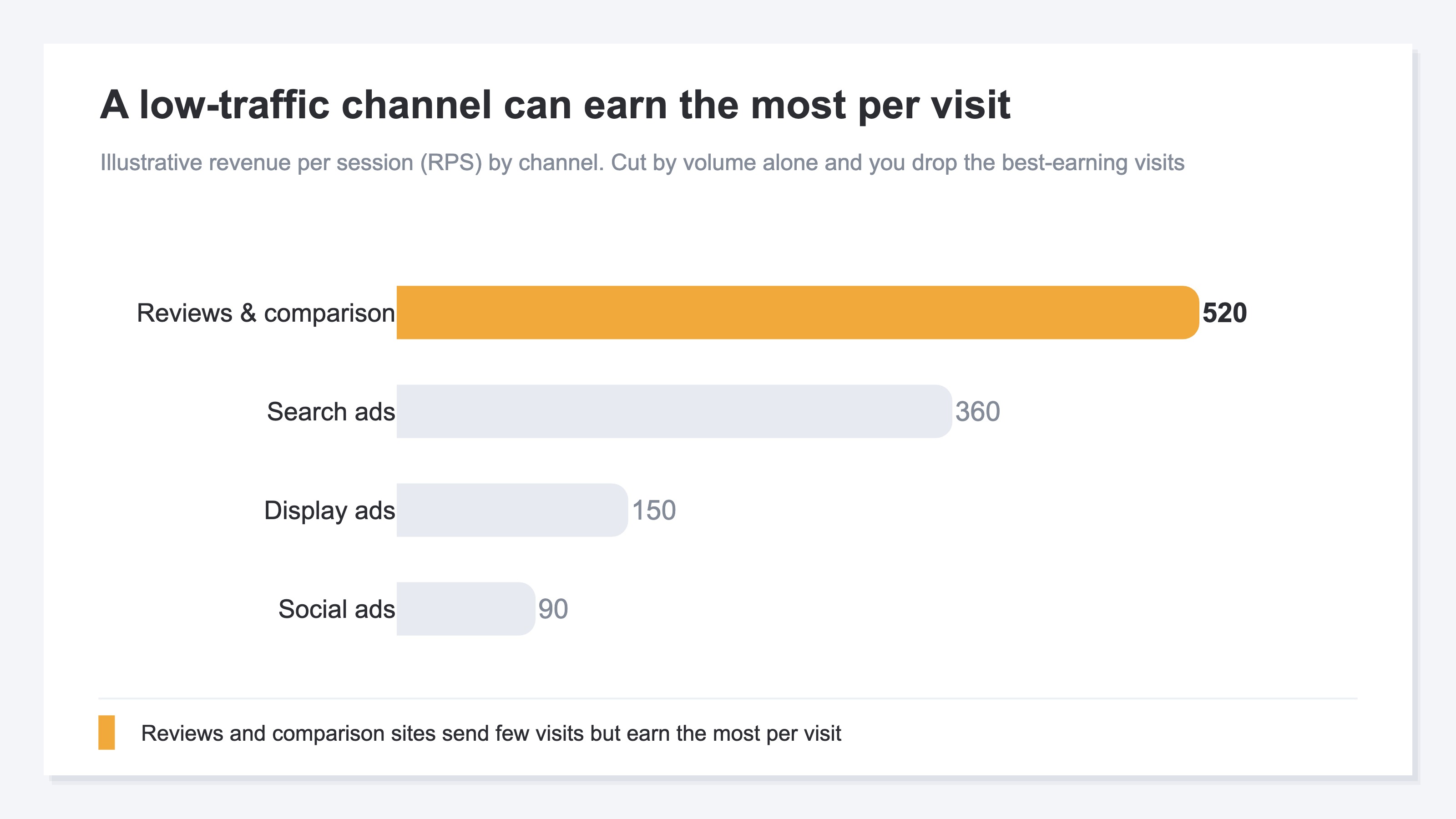
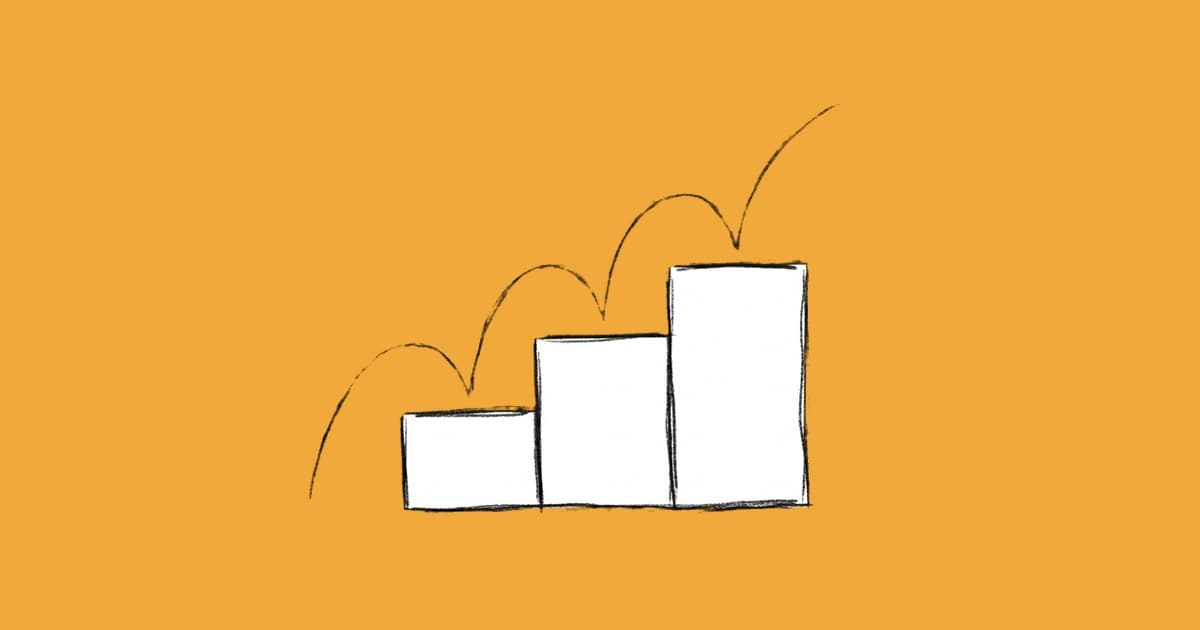
The chart above is an illustrative view of RPS by channel. Reviews and comparison sites send few visits, yet they earn the most per visit. Had you cut on order count alone, you'd have let go of the visits that earn the most.
That said, this RPS is still calculated on revenue based on the last click. So the entry channels still read low even in RPS. To see their real contribution, you have to take one more step and question the very way you're scoring.
2. Question last click, switch models, and check unattributed revenue#
The second number to look at before cutting is revenue under a different way of scoring. Switch to a model other than last click and the contribution of your entry channels finally shows its face.
Attribution has several models besides last click [2]. First click puts the sale on the earliest click; linear spreads it evenly across every touch; time decay weights the touches nearer the purchase more heavily. The way the credit is shared out differs — and the same revenue looks different because of it.
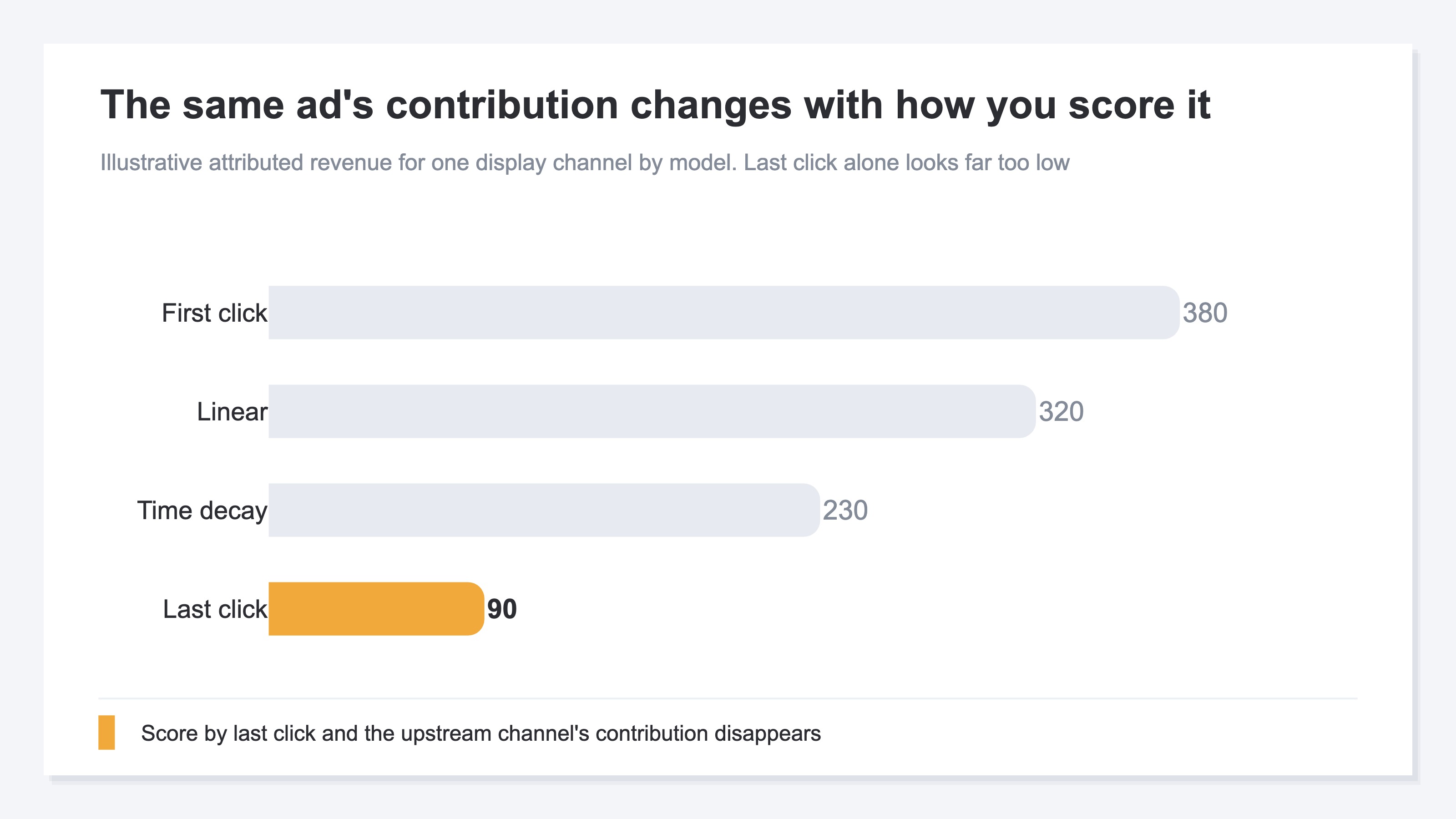
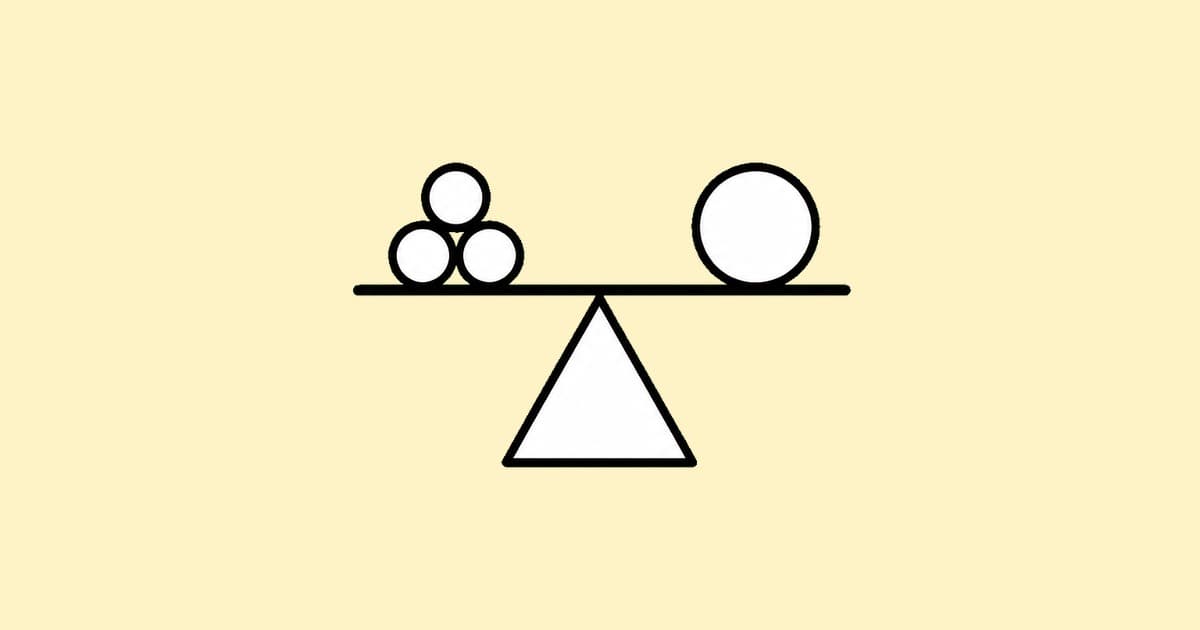
The chart above is an illustrative comparison of one display ad's attributed revenue across four models. Last click alone reads extremely low; switch to first click or linear and it turns out the same channel contributed solidly. There's no single correct answer here. Trust one model alone and the entry channel's work goes invisible — to avoid that, you compare a few ways.
And the third number is the revenue that tied to no channel at all. This is called unattributed. It's what's left after you subtract the revenue assigned to each channel from total purchase revenue — the sales that slipped through the measurement net. In many tools this homeless revenue melts into a vague bucket like Direct or (none) [3] and gets ignored without you noticing. Cut an ad without checking how much unattributed revenue there is, and you may erase the revenue that ad was actually carrying. For more on last click's bias, see Why moving budget on last click alone loses money; for what unattributed revenue really is, see The real identity of revenue you can't trace.
What makes entry channels tricky is that their effect shows up on a delay. An ad that first makes someone aware of your product rarely earns a purchase on the spot, and its per-visit value looks low. But if the person who learned of you there comes back later and buys, that sale gets credited to whatever channel they last touched. So an entry ad can't be judged fairly on its immediate numbers alone.
3. Decide cut or keep by re-ranking on revenue contribution#
Whether to cut or keep gets decided after you re-rank channels not by how they look on last click, but by their contribution to overall revenue.
What you look at is a cross of two axes. Put "how it looks on last click" on the horizontal and "the real contribution to revenue" on the vertical, and split it into four cells. Contribution includes not just RPS but the indirect push you saw by switching models and the share you recovered from unattributed.
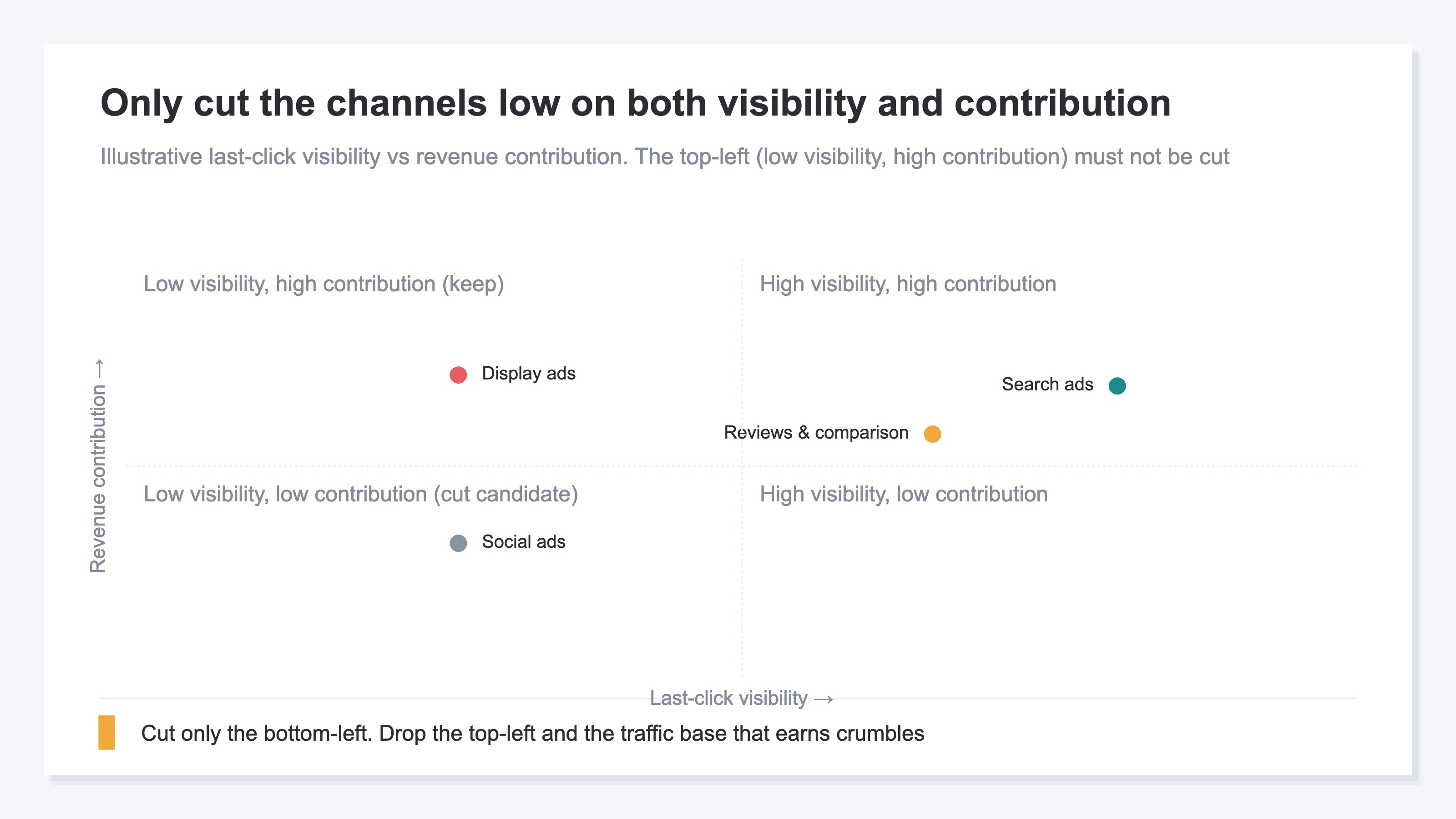
The only cell safe to cut is the lower-left. Weak on last click, and still small in contribution even after you switch models and add unattributed — low on both looks and substance. The opposite, the upper-left — weak on last click but large in contribution — is the one that, if you stop it, brings down the whole foundation of the traffic that earns. Cut a channel that was carrying new visits and, a few weeks later, you get the accident of downstream revenue thinning out.
When you want to shut it all off, the minimum to look at is just these three: RPS by channel, switching the model, and unattributed revenue. Re-rank on these three, then drop only the lower-left channels. That's how you cut without dragging your earning traffic down with it.
One boundary to make clear: what this article covers goes up to "which numbers to look at before cutting." When you want to compare non-ad channels (email, organic search) on the same terms, How to measure non-ad channel efficiency is the entry point; for a view that isn't fooled by cheap clicks, The cheap-click trap; and if you want to organize which ads led to revenue from the start, What ad effectiveness measurement is connects the pieces.
The idea itself isn't hard. What's hard is keeping it up every time. Producing RPS by channel, switching across four models to compare, and digging unattributed back out of Direct — you can do it once, but repeating that handwork from scratch every time you review your ads, flipping between your analytics tool and your ad manager, is heavy work [4].
RevenueScope's solution
Every time you're torn over whether to cut an ad, you hit the same wall. RPS by channel, switching models, unattributed revenue — you know the three things to look at, but in GA4 each lives on a different screen, and they won't line up on one page unless you re-tally them by hand every time.
RevenueScope holds these three on one screen from the start. It outputs revenue, sessions, and RPS by channel already computed, and it switches the attribution model across last click, first click, linear, and time decay with one click so you can compare how contribution changes. On top of that, the revenue that ties to no channel isn't hidden — it's shown as an "Unattributed" row. Ask it, and it comes back like this (display uses demo data).
| Channel | RPS | Attributed revenue (last click) | Attributed revenue (linear) |
|---|---|---|---|
| Search ads | ¥360 | ¥450,000 | ¥300,000 |
| Display ads | ¥150 | ¥90,000 | ¥330,000 |
| Social ads | ¥90 | ¥120,000 | ¥130,000 |
| Reviews & comparison | ¥520 | ¥330,000 | ¥230,000 |
| Unattributed | — | ¥210,000 | ¥210,000 |
The most telling read in this table is the gap between the display ad's two numbers. On last click it looks like it contributed only ¥90,000, but switch the model to linear and it's ¥330,000 — meaning it was nudging the customer again and again in the run-up to purchase. Had you cut on the last-click view alone, you'd have stopped the traffic that was carrying that ¥330,000. And beyond that, there's a separate ¥210,000 of revenue tied to no channel (Unattributed), sitting there in plain view rather than hidden.
From here the next move comes into focus. Social ads are low on both RPS and contribution, and don't grow even with unattributed added — a candidate to reduce. Display ads look weak but contribute a lot — so keep them. Connect RevenueScope to an AI assistant (ChatGPT or Claude) and ask "which ads are safe to cut in my current setup?", and you get an answer that already accounts for all four models and unattributed, without tallying by hand.
RevenueScope puts revenue, RPS, and conversion rate (CVR) by channel, attributed revenue with the model switched, and the breakdown of unattributed revenue on one screen. It specializes in measuring revenue-based contribution, and connect ad spend and it adds ROAS too. The material you need to judge which channel contributes how much revenue lines up on one screen, without re-tallying it by hand every time.
FAQ#
Q1. There's no return, so I'm thinking of just stopping all my ads. Is that a bad idea?
Don't stop everything right away. Entry channels show their effect on a delay, so they look weak on last-click numbers alone. Cut a channel that was carrying new visits and, a few weeks later, downstream revenue thins out. First check the three — RPS by channel, switching the model, and unattributed revenue — and drop only the channels that are low on both looks and contribution.
Q2. Which attribution model should I pick as the correct one?
It's safer not to decide any single one is correct. Last click is strong for judging the moment just before purchase, but it makes entry channels look too small. Compare a few ways with first click and linear, and watch the channels whose contribution moves a lot depending on the model. The more a channel moves, the more likely last click alone leads you to the wrong call.
Q3. Can I just stop the ads with low RPS?
Don't decide on RPS alone. RPS is calculated on last-click revenue, so entry channels read low. Check the contribution under a switched model and the unattributed revenue, and only consider stopping the channels that still turn out to contribute little.
Summary#
The reason it feels like no ad works — the reason you want to cut everything — is that you're grading the channels that introduce your product using only the number closest to purchase. The work an entry channel does never shows up in the exit number. Cut a channel that was carrying new visits and, a few weeks later, downstream revenue thins out.
The minimum to look at before cutting is just three: RPS by channel, switching the attribution model, and the unattributed revenue that ties to no channel. Re-rank on these three, then drop only the channels low on both looks and contribution. Before you stop anything, first produce RPS by channel and switch the model just once. That alone brings the gap between how a channel looks and what it truly contributes into clear view.
See which ads actually drive revenue, at a glance
Free up to 5,000 sessions/month, AI connection included. No credit card required. Up and running in 5 minutes.