
"I want to use AI for my work, but I have no idea where to start." Many people running an EC store feel exactly this. Open an article and the first thing you usually see is "write some copy first" — start from product descriptions or email drafts, they say.
But that is not the first step. AI knows none of your store's numbers — not your revenue, not which channel is working — so even if you have it write for you, it can only hand back generic advice that fits any store. The real first step is making your own data readable to AI. Change the order by a single move, and its answers shift from "the usual talk" to "the facts of your store."
This article lays out, for beginners, the order that keeps you from stumbling at the entrance to AI. The goal is not to master a hard tool, but to reach a state where AI reads your numbers and you can think about your next move from your own facts.
Contents
TL;DR#
Here are the takeaways up front.
- The first step in AI is not writing text; AI that knows none of your numbers can only return generic advice
- What you do first is make your own data readable to AI; change the order by one move and the answer becomes yours
- Writing out a CSV and pasting it into AI helps for a one-off try, but it is a snapshot that goes stale and leaves manual work every time
- The real step is not handing numbers over once but connecting them continuously, so AI can read the latest raw data anytime
- Connect it, and AI helps you decide — revenue, channels, revenue per visit — grounded in your store's facts
1. AI's First Step Is Not Writing Text#
Bottom line: what AI should do first is not generate text, but read your own numbers.
In talk about AI, the entry point is very often "write product descriptions first" or "start with email drafts." It is easy and the results are visible, so it is not a bad entrance. But there is a reason results are hard to grow when you start there: AI knows none of your store's revenue, nor which channel is working.
Have it write without knowing the materials, and what comes back is "generic advice that fits any store." Worse, without your numbers, AI can invent plausible-looking figures from memory and be confidently wrong (why AI gets numbers wrong). Why AI leans generic is diagnosed in why AI's advice turns generic, but the subject here is not diagnosing the cause — it is the order of use. Sort out the order first, and the same AI gives a different quality of answer.
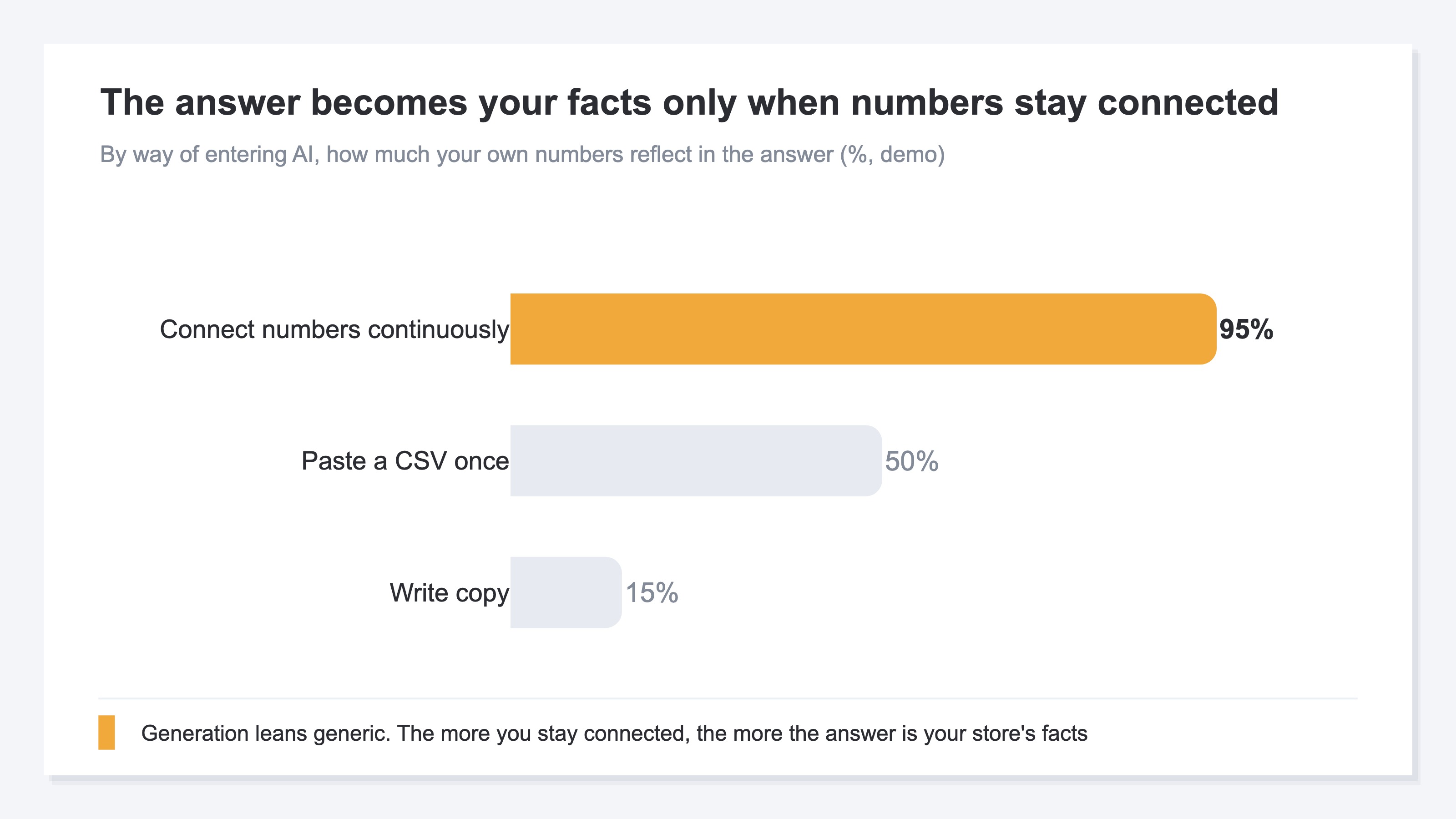
What matters is not whether AI is smart, but whether AI is looking at "your real numbers." Start from generation, and this foundation is missing as you go. So the first step is, before writing anything, to make your own data readable to AI. Take this order, and even when you next have it write, the proposal is grounded in your store's facts.
2. The Limits of Reading a One-Off CSV#
Bottom line: writing out a CSV and pasting it into AI helps for a one-off try, but it goes stale and leaves manual work every time.
When people hear "let AI read your own numbers," the first thing many imagine is exporting a revenue CSV from the admin screen and pasting it into AI as is. This is a step in the right direction and helps plenty for a one-off hypothesis. AI really does read the pasted table and hands back insights on the spot.
The problem shows up when you try to keep it going. The pasted numbers are "a snapshot of the moment you pasted," so by the next day they are already old. To know today's revenue, you export again and paste again. That quiet manual work stays, every time. The same wall in ad numbers is covered in the limits of ad analysis in ChatGPT, and the structure is shared: pasting works for a one-off but breaks under repetition.
In other words, pasting a CSV once is your own data but not continuously connected, so every time you ask AI a person has to carry the numbers over again — and getting past this is the next step.
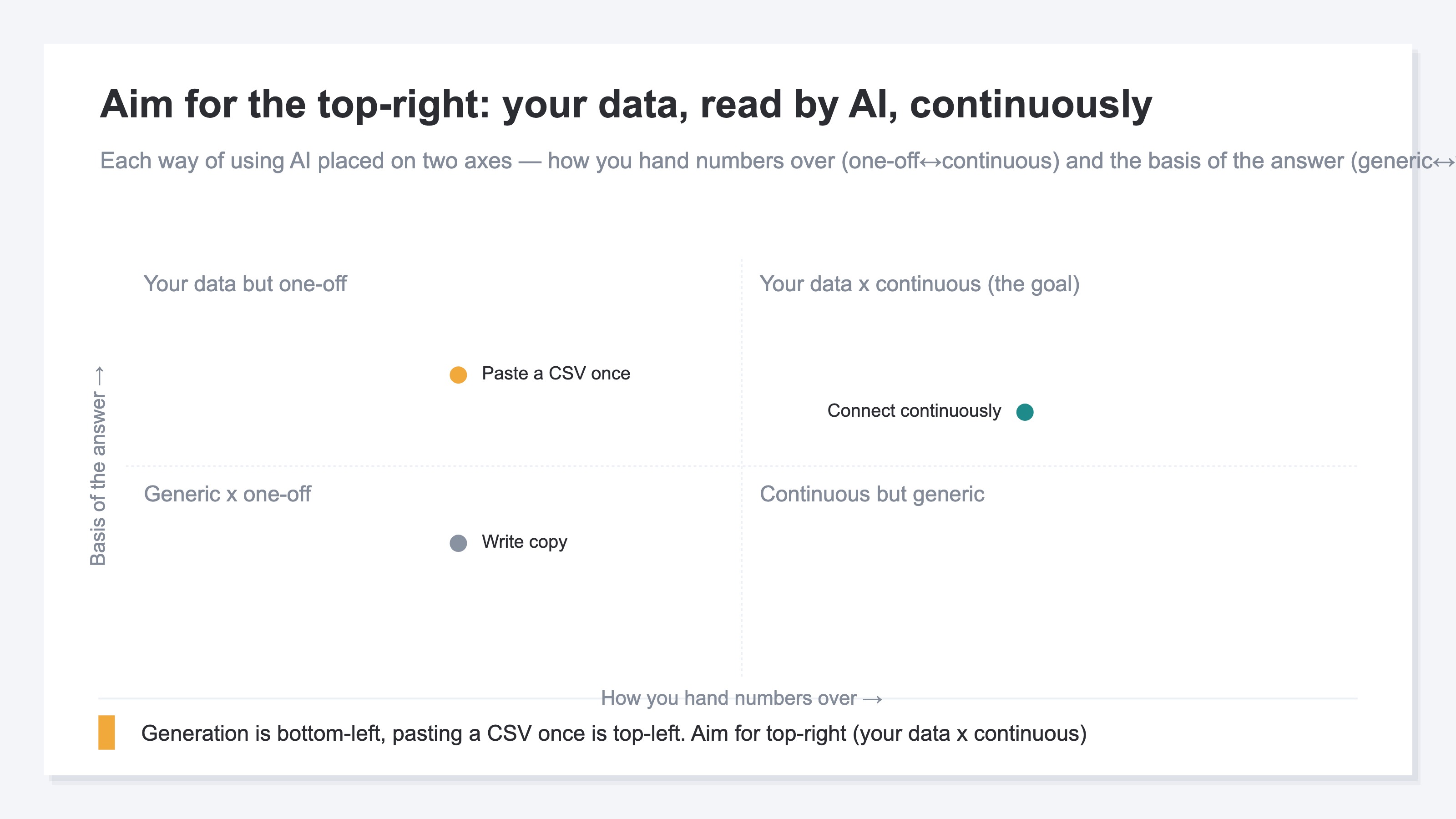
What you want is the top-right: a state where AI reads your own data continuously.
3. The First Step Is Connecting Your Numbers Continuously#
Bottom line: the true first step is not handing numbers over once, but connecting them so AI can read them anytime.
Pasting once and connecting continuously look alike but differ greatly. Connecting continuously means building one "window" between AI and your numbers, so AI can go and read the latest raw data whenever it needs to. No exporting, no pasting. You just ask in plain words: "what is my revenue this month?" "which channel is working?"
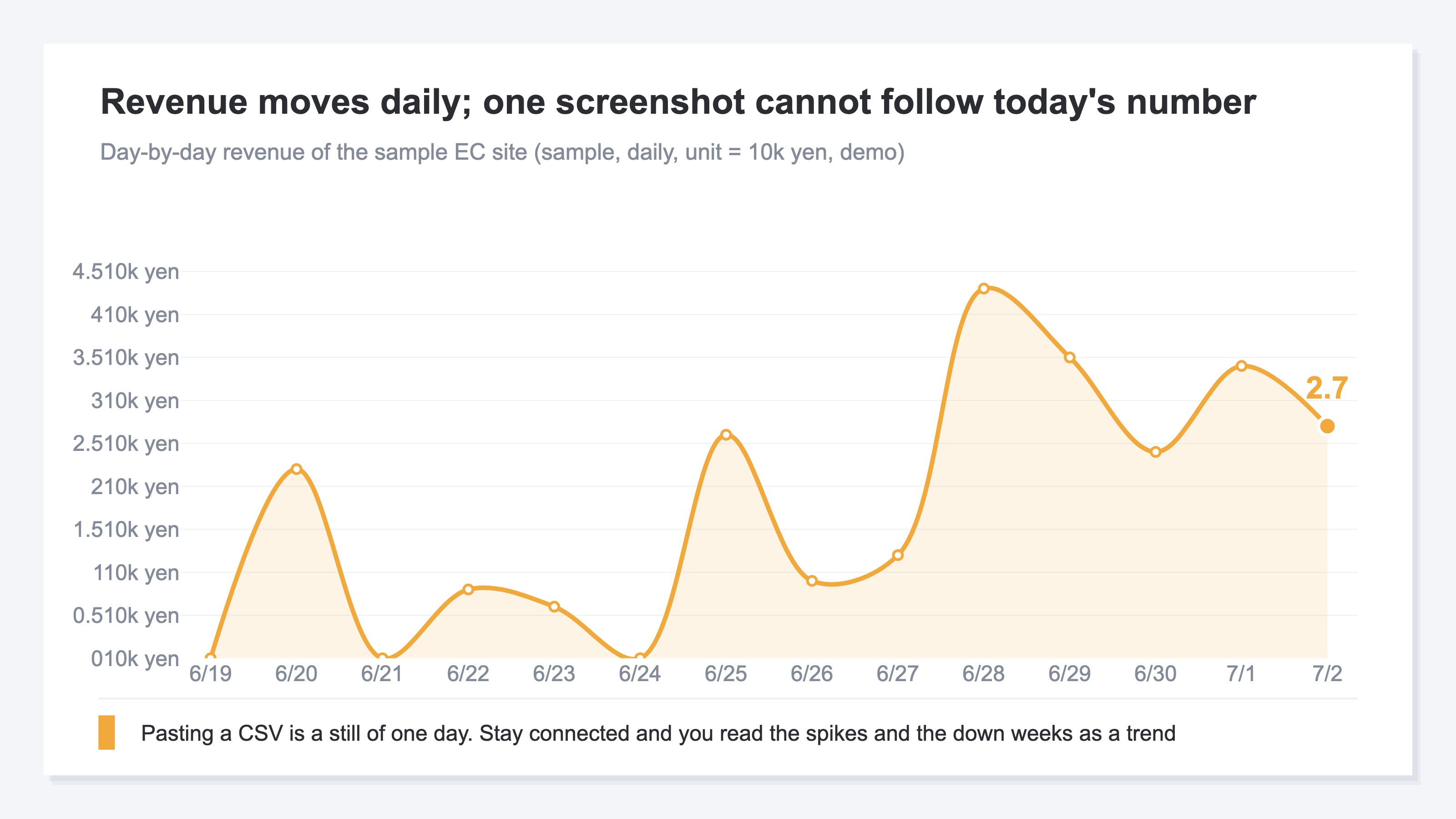
As this chart shows, revenue moves every day. Pasting a CSV can only hand over a still image cut from one day of that movement. Keep it connected, and AI reads the trend up to today as is and can read with the flow of time — "down from last week," "spiked only on this day." In terms of order, this is the foundation that belongs before generation and CSV pasting. The concrete "first move to grow traffic" once the foundation is in place is connected in grow traffic with zero marketing know-how.
RevenueScope's solution
Bottom line: instead of re-pasting a CSV every time, RevenueScope lets you connect your own numbers to AI continuously. Just ask, and revenue, channels, and revenue per visit come back in your store's facts. And it is free to start.
What you have seen so far is that AI quality is decided less by clever prompts than by "whether AI is reading real numbers." A one-off CSV paste stops just short of that. RevenueScope is a lightweight dashboard you can use by adding a single tag, with a window (MCP) that lets AI read those numbers.
Ask AI "what is my revenue? which channel is working?" and it reads RevenueScope numbers in read-only mode and answers in your store's real figures. Because it is read-only, there is no risk of AI rewriting your data. You can hand your own numbers straight to the AI you already use, like ChatGPT or Claude.
| Your question | What AI returns (example) |
|---|---|
| Revenue in the last 30 days? | 419,690 yen, down 12.4% vs the prior period (which was 479,146 yen) |
| Is AI-referred traffic turning into sales? | About 80,000 yen combined across ChatGPT, Gemini, Claude, Perplexity; Claude alone is 12,088 yen from 10 visits |
| Which channel is efficient? | Revenue per visit is 948 yen for Gemini vs 81 yen for Meta; more traffic does not mean more efficient |
Ask RevenueScope's sample site, and it returns this (fictional site with sample data).
RevenueScope does not replace GA4. If GA4 is the tool for seeing "what happened," RevenueScope adds "your next move in your numbers" on top — the two are complementary. What RevenueScope is built for is turning revenue-linked metrics — revenue, channels, revenue per visit (RPS) — into your next move by letting AI read them. Reach a state where AI reads your real numbers continuously and you can "think about the next move from your own facts," and that step carries real value. And RevenueScope starts from a free sign-up.
FAQ#
Q. So far I only use AI to write text. Is that still okay?
Yes. Generation is not bad — adding one step before it, letting AI read your own numbers, makes even the text it writes grounded in your store's facts. Starting there is what we recommend.
Q. Is pasting a CSV no good?
It is not no good — it helps for a one-off hypothesis. But the manual work of exporting and pasting stays every time, and the numbers go stale fast. If you want to keep it going, having AI read the latest numbers anytime is faster and more accurate.
Q. Isn't connecting data to AI risky?
It depends on how you connect. RevenueScope's connection is read-only — AI only reads the numbers and cannot rewrite them. That is why fears like "it gets deleted or rewritten" are unlikely by design, not just by operating rules. Note that how the AI side handles data follows each service's own policy.
Summary#
The first step in AI was not writing text. AI that knows none of your own numbers, however smart, can only return generic advice. So first, make your own data readable to AI. Change the order by one move, and the answer shifts from "the usual talk" to "the facts of your store."
Writing out a CSV and pasting it helps for a one-off try, but it goes stale on the spot and leaves manual work every time. The real step is not handing numbers over once but connecting them continuously — keeping AI able to read the latest raw data anytime.
So even when you finish this article, it does not end at "just have AI write." What remains is the work of letting AI read your numbers and, grounded in those facts, making the next move that grows traffic or revenue. Start for free — start by letting AI read your own numbers.
See which ads actually drive revenue, at a glance
Free up to 5,000 sessions/month, AI connection included. No credit card required. Up and running in 5 minutes.