
Keywords your competitors rank for but you don't are strong candidates for what to target next. But start with the highest-search-volume terms first, and you tend to pour production time into words that don't fit what you actually sell. This article lays out, with a sample store's data, how to re-choose the keywords competitors win on — not by search volume, but by "how much revenue each one is likely to drive for your own store."
Contents
TL;DR#
-
Your own data alone can't reveal a competitor's gap keywords
GA4 and Google Search Console only hold data on people who came to your own site. What terms a competitor draws traffic on can't be seen without data from the outside — search results as seen externally (external SERP data).
-
A gap keyword is a term a competitor wins but you don't
A search term where a competitor ranks near the top while you don't. It's a "hole" in some topic, and a candidate to fill next. Look at how easy it is to win, too — the competitor's ranking position.
-
Choose by highest search volume and you miss
A high-volume term that doesn't fit what you sell won't turn into revenue even if you rank for it. The axis for re-ranking priorities is "that term's estimated traffic × your own measured RPS" — its revenue potential.
-
Sort by revenue potential and you steer scarce production toward gaps that drive revenue
Re-choose by revenue potential instead of search volume, and the gaps worth growing stand out. Join the competitor lens and your own revenue lens on one screen, and you can set priorities by revenue.
1. Your Own Data Alone Can't Reveal a Competitor's Gaps#
What keywords a competitor draws traffic on don't show up in GA4 or Google Search Console. Both only hold data on the people who came to your own site. To know a competitor's captured keywords, you need data on search results as seen from the outside — external SERP data.
However much you stare at your own analytics tools, all they surface is the record of "people who came to you." GA4 returns your site's sessions and revenue; Google Search Console returns your pages' clicks, impressions, and average position [1]. Both are your own records — which terms a competitor ranks near the top for is simply out of scope for measurement. Go looking for "which strong terms are we failing to win," and the answer isn't inside your own data. The fact that even your own Google Search Console won't produce per-term revenue is gathered in why you can't see revenue by search keyword.
So many people drop a competitor's domain into a general-purpose keyword tool and pull up a list of the terms it captures. That itself is the right first step — even for free or cheap, you quickly see which terms the competitor wins, their search volume, and their difficulty. But that's usually where hands stop. The list goes as far as "the terms the competitor wins" and "search volume." How much any of those terms drives your own revenue is something no tool tells you. That's where this article picks up.
2. What a Gap Keyword Actually Is#
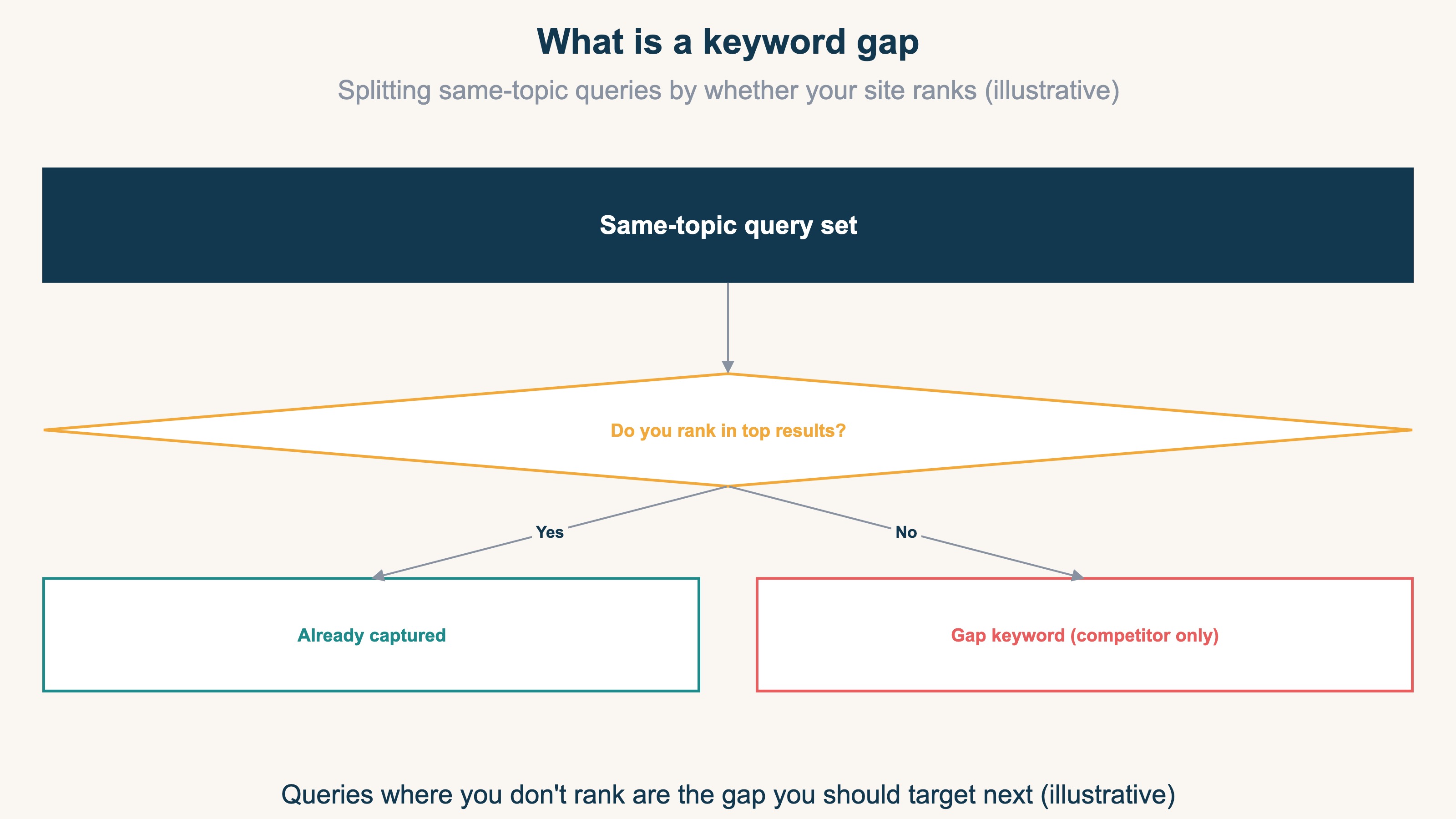
A gap keyword is a search term a competitor ranks near the top for while you don't. It's a "hole" in some topic (a cluster of related interest), and a candidate to fill next. When you choose one, look not only at search volume but also at the competitor's ranking position — how easy it is to win.
Put another way, it's "a term that surfaces high on a competitor's domain but never appears on yours." Say, in a product category you carry, the competitor ranks for 10 related search terms while you rank for only 6. The 4 terms in that gap are your gap keywords, and left alone, that entire slice of search demand keeps flowing to the competitor.
There's one more thing to watch when reading gap keywords. Judge why a competitor ranks near the top by surface metrics alone — the number of backlinks, the length of the content — and you'll misread it. In practice, internal link structure and a match with search intent are often what's doing the work [2]. So you can't simply say "the competitor wins it, therefore we can too" — you need to read it alongside how easy it is to win, meaning what position the competitor holds. The higher that position, the larger that search demand is as actual traffic, and the clearer the value of catching up.
3. Choosing by Search Volume Misses; Choose by Revenue Potential#
Tackle gap keywords in order of highest search volume and you'll miss. A high-volume term that doesn't fit what you sell rarely turns into revenue even once you rank for it. The axis to re-sort by is "that term's estimated traffic × your own measured RPS" — in other words, revenue potential.
The bigger a term's search volume, the more you're tempted to prioritize it. But high-volume terms are broad in meaning — they're often research queries far from a purchase ("what is ___," and the like), or terms the competitor itself only ranks for low down. The former rarely converts even if you rank for it; the latter draws little traffic even if you win it. The headline size of search volume alone can't help you avoid these two traps.
What you use instead is the axis of revenue potential. First, estimate the traffic a term could bring from the competitor's ranking position (this is estimated traffic). Then multiply that estimated traffic by your own measured RPS (revenue per visit), and you get a gauge of "if we won this term, roughly how much revenue would it lead to." Because RPS is a value derived from your own real data, you can re-read keywords by their value to you, rather than by an outward-facing size like search volume.
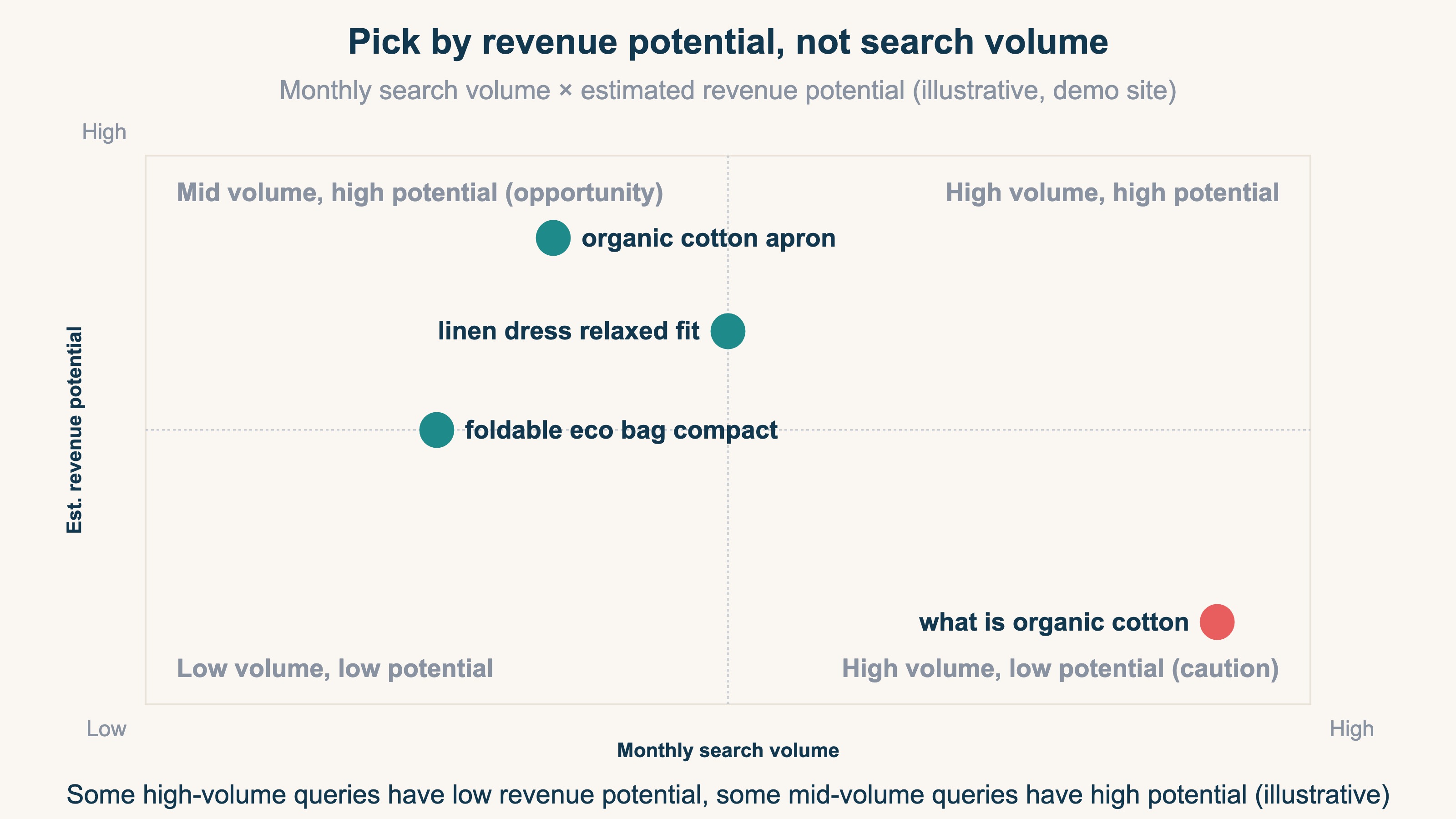
Re-sort on this axis and your move changes. A big term that sat at the top of the search-volume list can sink toward the bottom by revenue potential. Conversely, a term that looked unremarkable by search volume turns out to be a gap that ties directly to revenue for you. You get to fill your limited article-production time starting from the gaps that drive revenue, not from the ones with the biggest search volume. How to choose terms that are one step from the top is dug into in choosing striking-distance keywords by revenue, and how to fix terms that get impressions but no clicks is covered in fixing terms that get impressions but no clicks.
RevenueScope helps
RevenueScope puts the keywords a competitor captures, their estimated traffic, and your own measured RPS together on the same AI chat screen. Hand it your own Google Search Console results too, and the AI can cross-reference the competitor's captured terms against your own to surface the ones you haven't captured yet (the gaps). The AI does this by combining multiple pieces of data during the conversation. Joining the terms a competitor captures, their estimated traffic, your own RPS, and your own Google Search Console results is what RevenueScope is for.
Here's how it works. First it pulls the keywords that a competitor domain (up to four) captures, complete with ranking position, monthly search volume, and estimated traffic. Cross-reference those against your own Google Search Console results, and you can narrow down to the gap keywords — the ones you haven't captured yet. Multiply those by your own measured RPS and re-read them by highest revenue potential, and you can tell apart, in the AI conversation, "a term with high search volume but low revenue potential" from "a term with mid-range search volume but high revenue potential." Here's what actually comes back, with sample data.
Sample store: competitor's captured keywords (after cross-referencing with your own) by revenue potential (sample)
| Gap keyword | Monthly searches | Competitor rank | Estimated traffic | Estimated revenue potential (JPY) |
|---|---|---|---|---|
| オーガニックコットン エプロン (organic cotton apron) | 3,600 | 3 | 320 | 110,400 |
| リネン ワンピース ゆったり (loose linen dress) | 5,400 | 4 | 240 | 82,800 |
| エコバッグ 折りたたみ コンパクト (compact folding eco bag) | 2,900 | 5 | 150 | 51,750 |
| オーガニックコットン とは (what is organic cotton) | 40,500 | 16 | 95 | 32,775 |
Figures from a fictional store with sample data (RevenueScope demo). Estimated traffic is an estimated monthly visit count derived from external SERP data, not an amount. Estimated revenue potential = estimated traffic × the store's own measured RPS (about ¥345 for this store), a rough figure — neither confirmed revenue nor actual clicks from your own Google Search Console. Google Search (Japan) only.
Read this table by search volume alone and you'll decide the opposite of what you should. The highest-volume term, "what is organic cotton" (40,500), looks at a glance like the one to target most. But it sits at the very bottom by revenue potential. It's a research query far from a purchase, and the competitor itself only ranks 16th, so the traffic it could realistically bring is small. By contrast, the mid-volume "organic cotton apron" (3,600) has the competitor at rank 3, and winning it brings large traffic and large revenue potential alike. Work down the list by search volume, and you push the apron to the back while spending your time on "what is."
Here's the next move you can read off it. First, steer time and budget toward producing articles for the revenue-potential leaders, "apron" and "linen dress." Push "what is" — high search volume but low revenue potential — to later. Among a competitor's gaps, you get to decide which to fill first by order of revenue, not search volume.
RevenueScope brings a competitor's captured terms, their estimated traffic, and your own measured RPS onto one AI chat screen, then — with your own Google Search Console results handed in — narrows down the gap keywords and re-sorts them by revenue potential. Estimated traffic is its own lens, built from external SERP data, that complements your Google Search Console from the outside. The competitor research runs on the dashboard side, and in the AI conversation you read those results to cross-reference for gaps and re-sort by revenue potential. What RevenueScope specializes in is measuring, on a revenue basis, which gap keywords are closest to revenue — it leaves gross margin, LTV, and inventory to tools like GA4, and its job is to make a competitor's gaps visible on a revenue axis.
How much your search traffic drives revenue — the foundation under revenue potential — is gathered in seeing organic search's contribution to revenue, and how to decide the order to fill through rewrites is covered in setting rewrite priorities by revenue.
FAQ#
Q. Can I see a competitor's captured keywords in GA4 or Google Search Console?
A. No. GA4 and Google Search Console both handle only data on people who came to your own site. Which terms a competitor ranks near the top for is out of scope for measurement; you separately need data on search results as seen from the outside — external SERP data.
Q. Should I target gap keywords in order of highest search volume?
A. Sorting by search volume isn't recommended. Even at high volume, the list mixes in terms that are research queries far from a purchase, or that the competitor itself only ranks for low down. Re-sort by revenue potential — estimated traffic times your own measured RPS — and you can start from the gaps closest to your own revenue.
Q. Should I treat RevenueScope's "estimated revenue potential" as confirmed revenue?
A. Treat it as a revenue-potential metric for setting production priority. It's traffic estimated from the competitor's ranking position, multiplied by your own measured RPS (revenue per visit), covering Google Search (Japan). It's a gauge rather than a settled amount — a lens built from external SERP data, separate from your own Google Search Console — that lets you compare which gap keywords are closest to revenue and decide the order of article production by revenue.
Summary#
Among the keywords a competitor draws traffic on, the ones you don't win — gap keywords — are strong candidates for what to target next. But because GA4 and Google Search Console only hold data on people who came to you, a competitor's captured keywords are visible only through external SERP data. And once you can see the gaps, choosing them by highest search volume misses. A high-volume term that doesn't fit what you sell, or one even the competitor ranks low for, rarely leads to revenue. That's exactly why RevenueScope puts a competitor's captured keywords, their estimated traffic, and your own measured RPS on one AI chat screen — cross-reference them against your own Google Search Console results, and you can re-read keywords by revenue potential rather than search volume. Start with the sample-store data and see how the same gaps swap places between a search-volume order and a revenue-potential order.
See which ads actually drive revenue, at a glance
Free up to 2,000 sessions/month, AI connection included. No credit card required. Up and running in 5 minutes.