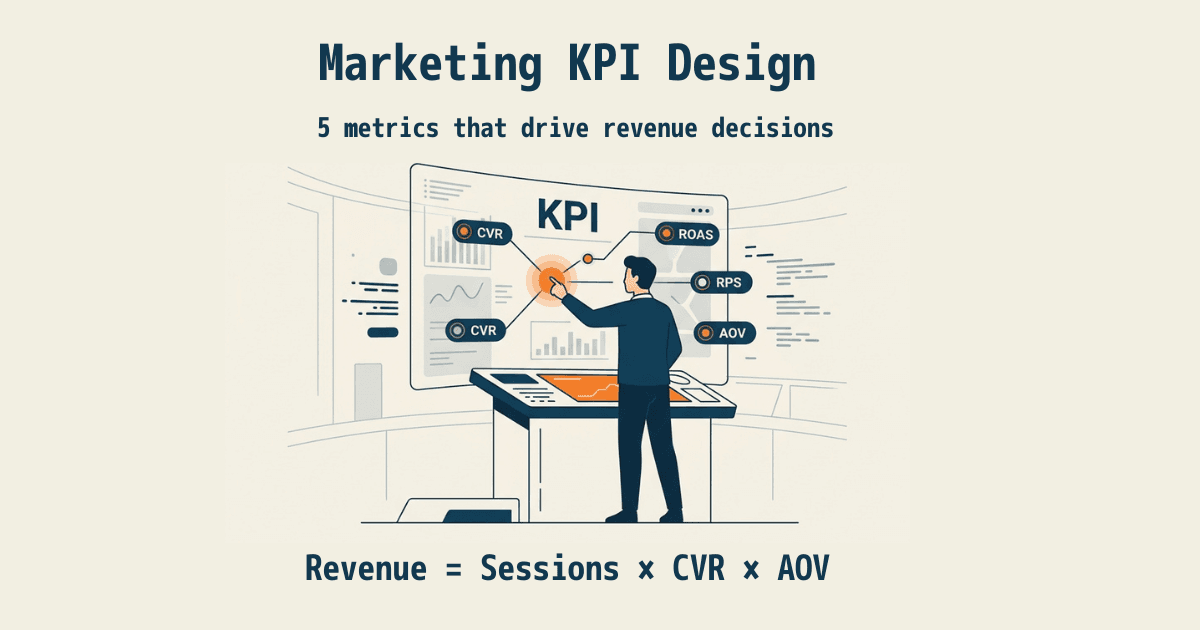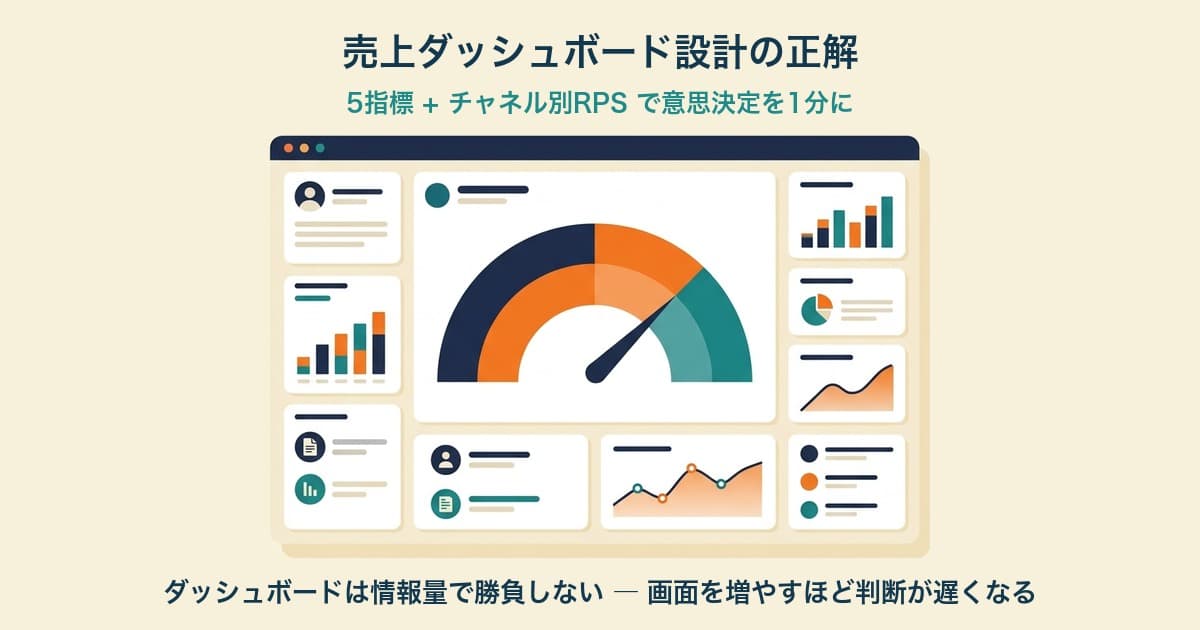
A revenue dashboard does not become easier to use just because it contains more metrics. Start with five: Revenue, AOV, RPS, CVR, and Sessions. This guide shows where to place them and what it takes to keep the comparison rules consistent after the screen is built.
GA4 and BI tools can produce the screen. The harder part is preserving the definitions each week. If bot filtering, unattributed revenue, or the attribution model changes, metrics with the same name are no longer comparable.
Contents
This article in brief#
- Place Revenue, AOV, RPS, CVR, and Sessions at the top
- Use the middle tier for period trends and the bottom tier for channel differences
- Compare against the same period for your own store instead of fixed warning thresholds
- Building the screen is easier than preserving bot, unattributed, and attribution rules
1. How to build a revenue dashboard with a three-tier layout#
Divide the first screen into top, middle, and bottom tiers so that the reading order is clear.
Place Revenue, AOV, RPS, CVR, and Sessions at the top. AOV divides revenue by orders. RPS shows the revenue generated per session. For how to choose the five metrics, see Five Core KPIs for an EC Site.
In the middle, show trends for Revenue and RPS. Overlay the immediately preceding period of the same length. This makes it easier to see whether the change came from revenue volume or revenue efficiency per visit.
At the bottom, place Sessions, Revenue, and RPS by channel. AOV and CVR can also be shown when the channel has enough orders. When overall RPS declines, this tier narrows the investigation to the traffic source that changed.
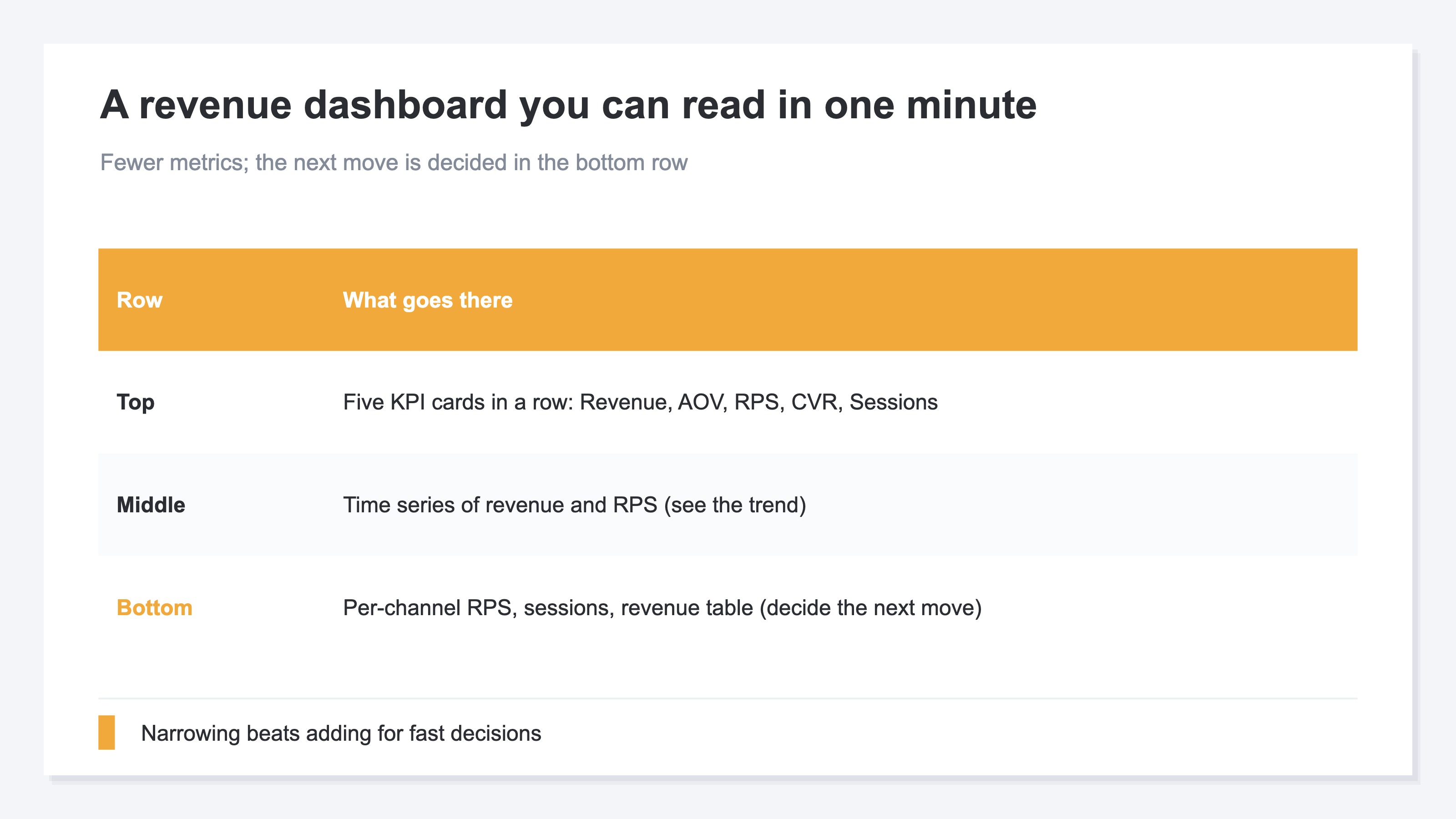
The goal is not to cover every available metric. It is to move from the overall change to the channel worth investigating simply by reading from top to bottom. Put supporting metrics on a separate drill-down screen instead of adding them to the main view.
Example reading orders by business model#
The same five metrics can support different first questions. One possible layout makes per-channel RPS the focus of the bottom tier for D2C and direct EC. For subscriptions, it keeps the five metrics as the common layer and puts retention data from external systems on a supporting BI screen. For one-time-purchase businesses, it can place Sessions and the same period of the prior year first.
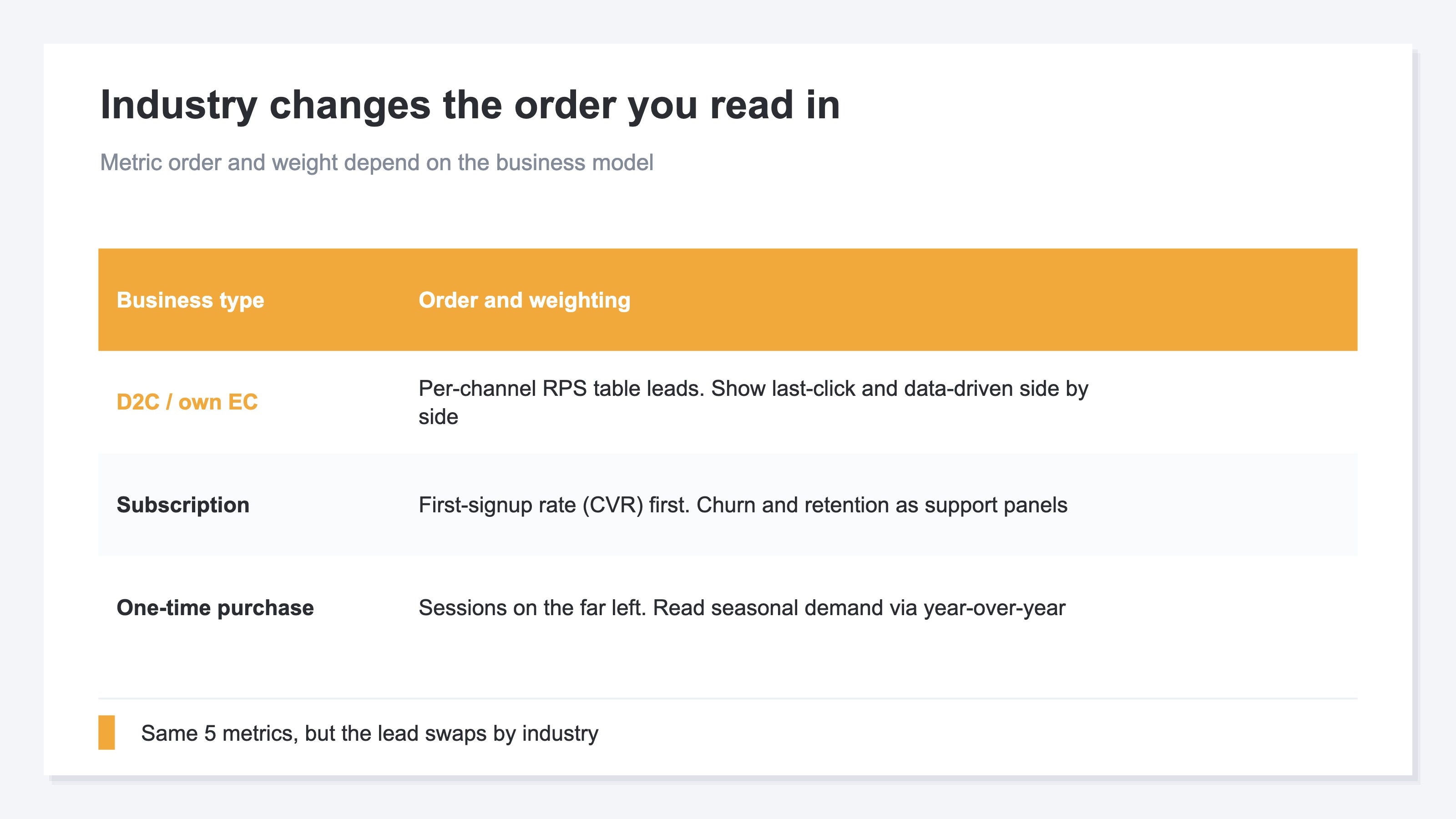
Use the store's previous period or the same period of the prior year as the baseline. An industry average should not become a fixed alert threshold because seasonality and product mix differ between businesses.
2. Four comparison rules that tend to break after launch#
A dashboard can look unchanged while its meaning shifts because the comparison rules changed.
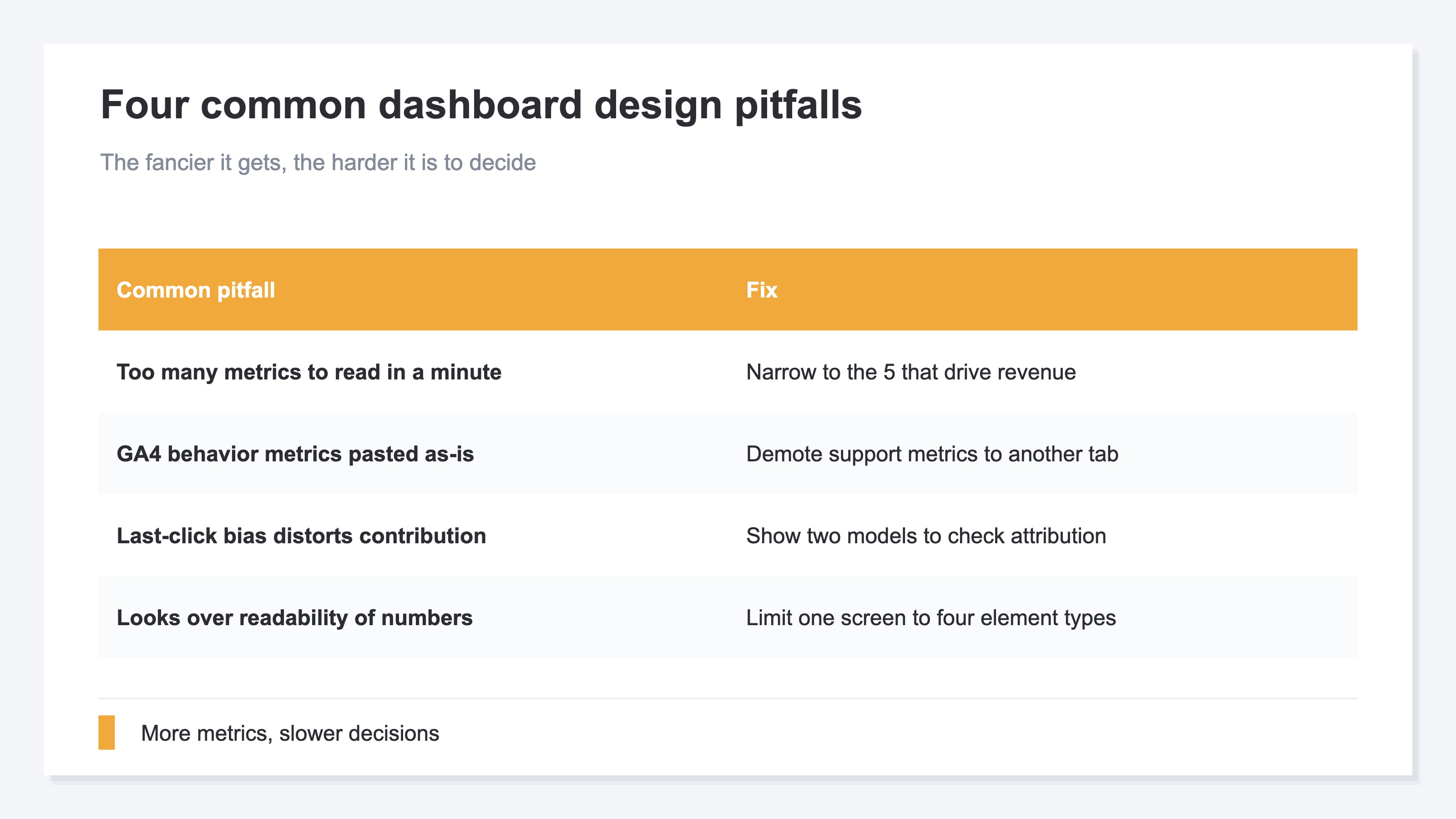
No prior-period comparison#
Current revenue alone does not show whether performance is strong or weak. Define the prior period as the immediately preceding window of the same length. Do not mix weekly and monthly comparisons in the same table.
Too many metrics#
Each added metric makes the reading order less clear. Ask whether a change in the metric would alter the next action. If not, move it to a supporting screen. Define the comparison order before choosing colors or chart types.
Bots left in the denominator#
Automated visits add sessions without purchases. That changes the denominators of RPS and CVR. If the filter changes from week to week, the period comparison mixes campaign effects with a measurement-rule change.
Locked to one attribution model#
Attribution is the rule that assigns an order and its revenue to a touchpoint. last_touch assigns the value to the final touchpoint. first_touch moves it to the first one.
Always display the model name. Changing models can change attributed Revenue, RPS, Orders, AOV, and CVR. Sessions, engagement, bot exclusions, and ad spend do not change. The Last-Click Trap explains the four models in more detail.
Revenue that cannot be tied to a touchpoint should remain separate as Unattributed. Reassigning it to another channel by assumption makes the source data and the adjustment impossible to distinguish.
3. What GA4 and BI tools can build, and what operations remain#
GA4 and BI tools can build the screen, but the rules that keep periods comparable need their own operating design.
GA4 provides default channel groups[1]. Google Data Studio (formerly Looker Studio) can connect data sources and build tables and charts[2]. Tableau describes a dashboard as a combination of views[3]. A Power BI dashboard is a single-page canvas[4].
These tools can place five metrics and a per-channel table on one screen. After launch, however, the following definitions need to stay stable:
- The date range and the length of the prior period
- Session and order definitions
- Bot-filtering rules
- The rule that separates Unattributed revenue
- The attribution model
The recurring work is reproducing these conditions every week, not creating the first layout. When GA4 and BI are used, document the definitions so they do not change when ownership changes. See Why Direct / (none) Grows in GA4 for that source-specific investigation.
The choice is not simply between a free and a paid tool. This article stops at the key boundary: preserving definitions is harder than arranging the screen.
RevenueScope — the solution
RevenueScope displays a revenue dashboard with consistent comparison rules. At the site level, it shows Revenue, Sessions, RPS, AOV, and CVR for the current period, against the prior period, and as daily trends.
At the channel level, it shows Sessions, Revenue, RPS, and Orders. AOV and CVR appear for channels with at least 10 orders. Engagement and bot exclusion counts are available in the same traffic view.
| View | What RevenueScope displays |
|---|---|
| Site | Current value, prior-period comparison, and daily trend for Revenue, Sessions, RPS, AOV, and CVR |
| Channel | Sessions, Revenue, RPS, Orders, AOV, CVR, engagement, and bot exclusions |
| Attribution | last_touch, first_touch, linear, and time_decay |
| Unattributed | Revenue shown separately as Unattributed |
Switching the attribution model lets you compare where revenue is assigned on the same screen. Unattributed revenue remains visible as a separate item. New versus returning, device, and channel are also available as analysis dimensions.
For periods where ad spend has been entered manually or uploaded by CSV, RevenueScope also displays revenue-based ROAS. It provides the evidence needed to choose the next action under the same comparison rules each week.
FAQ#
Can I build a revenue dashboard with GA4 and Data Studio alone?#
Yes. They can produce the five-metric layout and a per-channel table. You still need an operating process that keeps bot filtering, unattributed revenue, and attribution rules consistent every week.
Is a dashboard better when it contains more metrics?#
More metrics do not automatically make this dashboard better. Start with Revenue, AOV, RPS, CVR, and Sessions. Move metrics that do not change the next action to a supporting screen.
What should I do when Direct or unattributed revenue is high?#
First review UTMs and channel classification. Keep revenue that still cannot be tied to a touchpoint separate as Unattributed. Do not redistribute it to another channel by assumption.
Conclusion#
A revenue dashboard is easier to read when the top tier holds five metrics, the middle shows trends, and the bottom shows channel differences. Comparing with an equal-length period for the same store is more useful than relying on a fixed warning threshold.
GA4 and BI tools can build the screen once. If bot, unattributed, and attribution rules are not preserved, a period change cannot be read as a campaign result. After deciding the layout, verify that the same definitions can be reproduced every week.
See which ads actually drive revenue, at a glance
Free up to 5,000 sessions/month, AI connection included. No credit card required. Up and running in 5 minutes.