
"I want to use AI in my business. But I have neither the time nor the money to build a tool for it." Plenty of people stall right there. Here is the thing, though: making AI work for your store takes no building at all. What you need is not to build, but to connect your own numbers to the AI already at your fingertips. Connect it, and AI's answers shift from the usual talk to the facts of your store. This article lays out how to start, from the point of view of the person using it.
Contents
TL;DR#
-
Making AI work for your store takes no building
You don't have to build a tool from scratch. Just connect your own numbers to the AI at hand, and it answers in your store's facts. Building is the last resort.
-
Connect it, and AI's answers move from generic to your own store
Before connecting, you get "SEO matters" and nothing more. After, you get "your store is more efficient through Claude" — answered in your own numbers.
-
Make the first connection "read-only" for safety
AI only reads the data; it never rewrites it. Start read-only, with no risk of breaking or deleting anything, and you can try it safely on day one.
-
Connecting and building carry heavy setup and upkeep. Use an entry point that's already handled.
Doing it yourself means ongoing setup and maintenance. Use a tool that already works with the major AIs, and you can have it read your numbers that same day.
1. Why "Use" Comes Before "Build"#
Bottom line: to put AI to work in your business, you don't need to build a dedicated tool from scratch. Starting from "connect your own numbers to the AI at hand" is faster and safer. Building is the last resort, for after you've connected and found it still isn't enough.
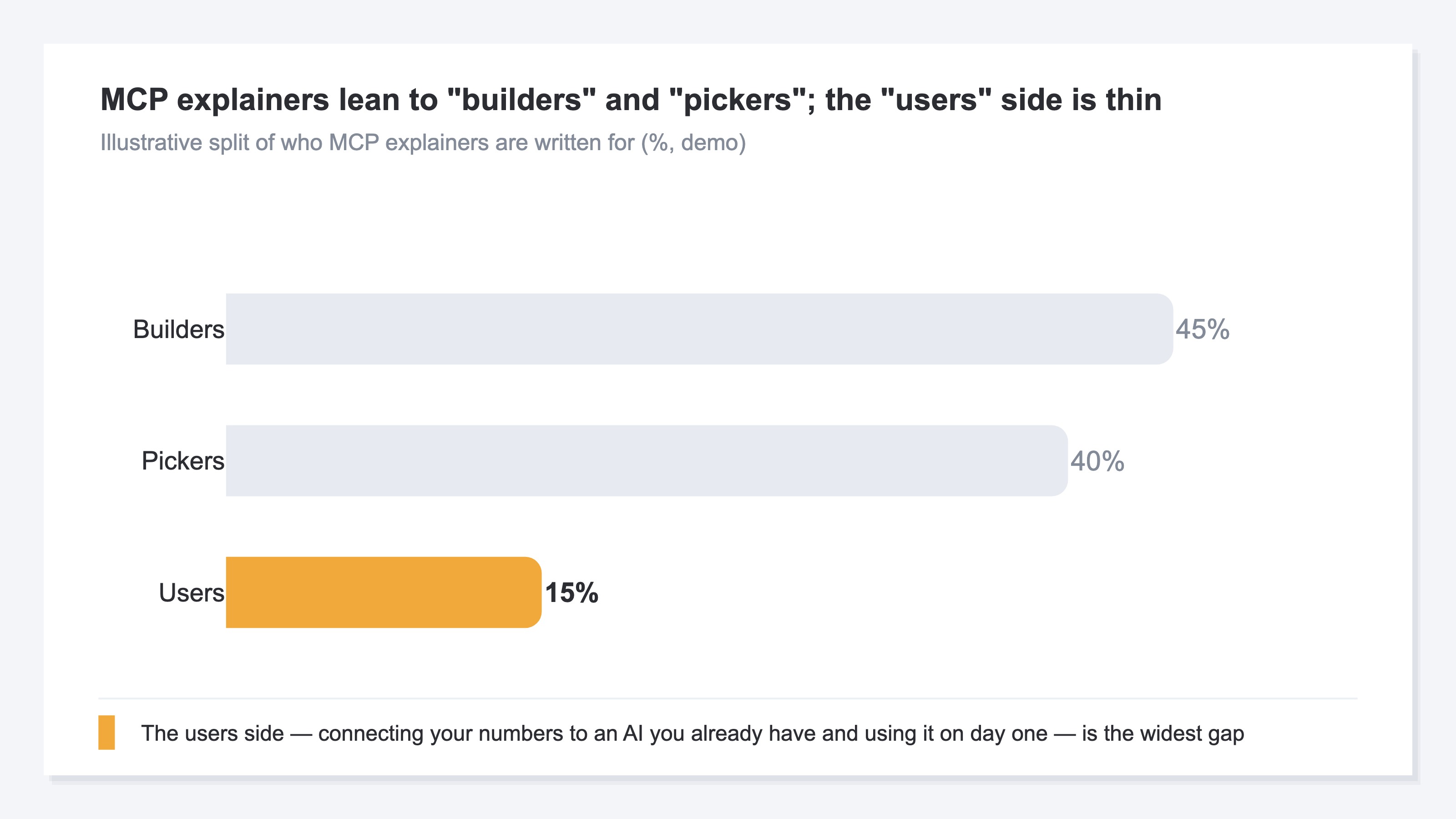
When people hear "put AI to work for my business," most picture development. But nearly every guide out there is written for the builder or the chooser — which parts to assemble, which service to pick. It is all technology talk, and the most immediate use of all — "connect your numbers to the ChatGPT or Claude you already have, and use it that same day" — is left wide open.
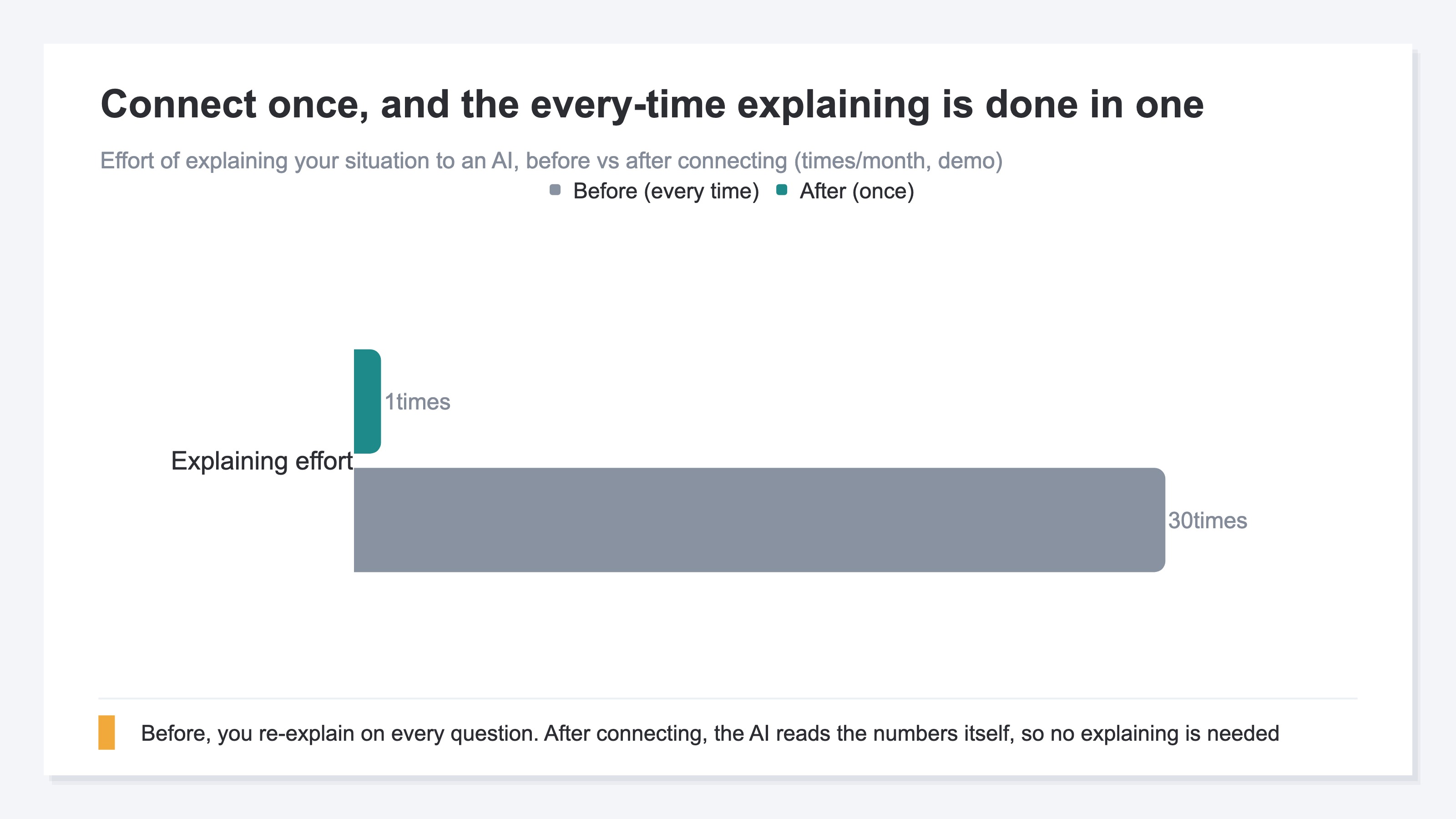
So why does using come before building? The reason is simple. Build something, and design, implementation, and upkeep go on and on. Connecting, by contrast, is a one-time setup. And connecting alone changes AI's answers dramatically. Confirm the effect first, then build only if you must. Flip the order, and you pour time into something that may not even work.
By the way, why AI hands back only generic advice is explored in a separate article (why AI's advice turns generic).
2. How Connecting Changes AI's Answers#
Bottom line: connect your own numbers to AI, and the answer moves from "generic" to "your own store." Before connecting, all you get is advice that fits anyone; after, AI reads your store's actual numbers and answers.
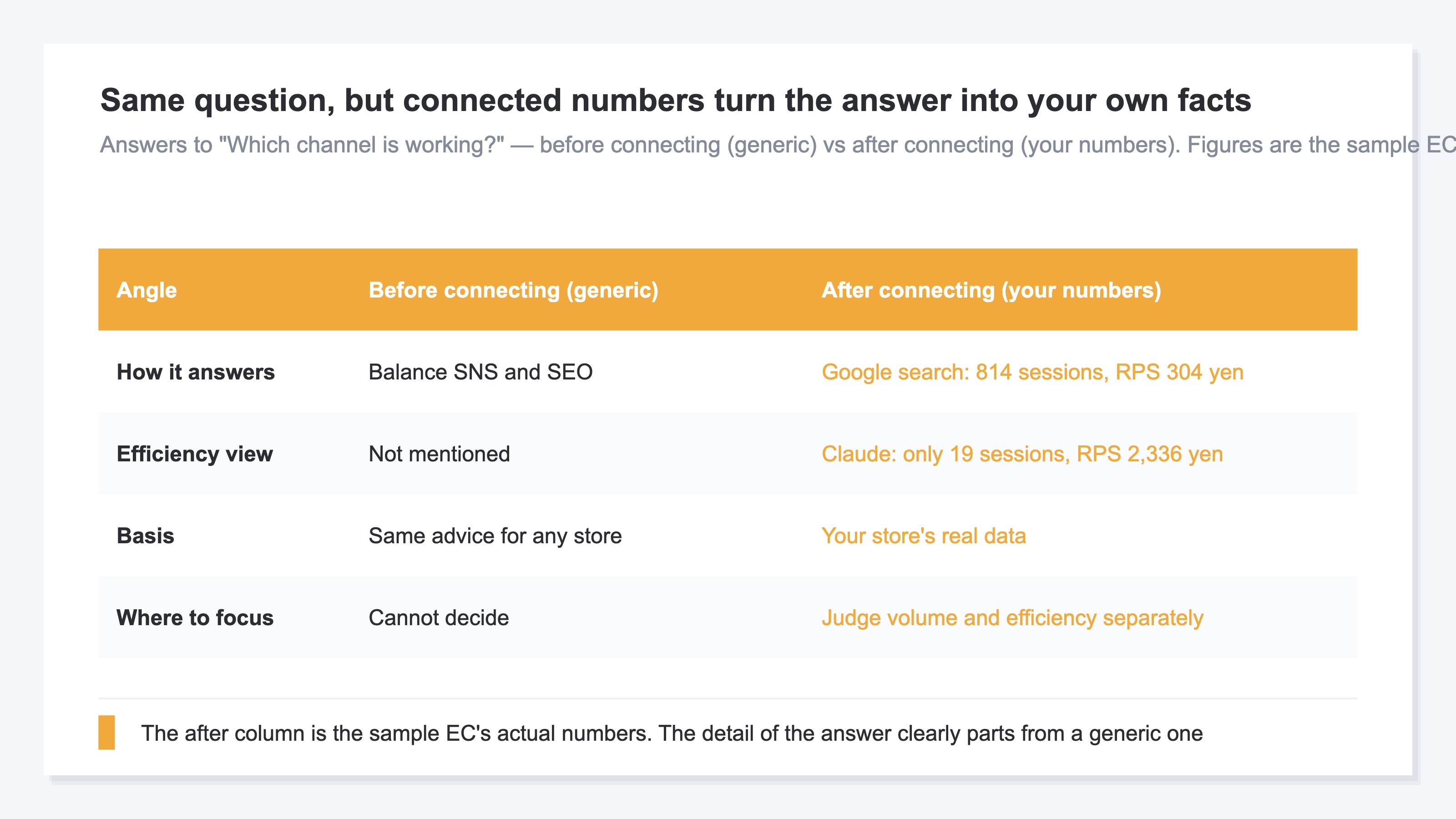
Let's look at it concretely. Ask a ChatGPT with nothing connected, "Where should my EC store focus?", and back comes generic advice: "Strengthen your SEO," "Repeat-purchase campaigns matter." Not wrong, but not about your store. AI doesn't know your numbers.
Now connect your own numbers to that AI. To the same question, it answers, "Your store gets the most traffic from Google Search, but on revenue per visit, AI referrals come out ahead" — reading your actual numbers. The generic advice turns, on the spot, into a diagnosis of your own store. (This way of letting AI read outside numbers is called MCP.)
What matters is that this change requires no hard setup and no programming. No writing SQL, no building reports. You just ask AI in plain words, "Which channel is driving my revenue?" That one bit of effort — connecting — turns AI into a partner that reads your numbers. Where an EC store should connect first is laid out here (the data an EC store should connect to AI first).
3. Start With a Read-Only Connection#
Bottom line: for your first connection, "read-only" is the safe choice. Read-only means AI only reads your numbers — it doesn't rewrite or delete them. With no risk of breaking your data, you can try it safely on day one.
"Connect" might make you worry that AI will start operating things on its own. Here's the key idea to hold onto: read-only. In a read-only connection, all AI can do is read. It cannot rewrite an order or delete inventory. So there's no accident of breaking something by mistake.
The other reassurance is the entry point when you connect. A safe connection hands AI only the range you've permitted. Rather than telling AI your password directly, you go through a proper entry point (a mechanism called OAuth) and decide for yourself how much it can read. If you change your mind, you just revoke that permission to disconnect. Start with one read-only connection, and widen the range as you get comfortable. For the person using it, this is the least scary order there is.
For the record, the builder's technical comparison of "which parts to assemble with" is a separate topic. This article stays focused on what the user does on day one. For the builder's comparison, see how the major AI clients compare for connecting.
RevenueScope's solution
Bottom line: RevenueScope gives EC operators an entry point that already works with the major AIs, so you don't stall at "connect or build." Read-only, it connects to four AIs — ChatGPT, Claude, Gemini, and Microsoft Copilot. With no technical knowledge, you can have AI read your own numbers and ask questions that same day.
Connecting and building yourself aren't as light as they sound. Which AI to fit, how to pass authentication, fixing it every time the spec changes — setup and upkeep follow you around. RevenueScope shoulders that weight. The connection side is handled here, so the user just "has it read and asks."
Here's how it actually looks, with sample-store data. Ask AI "Which channel is driving my revenue?" and it comes back like this, right down to RPS (revenue per visit).
Sample store (90 days): revenue and RPS by channel
| Channel | Sessions | Revenue (JPY) | RPS (JPY) |
|---|---|---|---|
| Direct | 485 | 276,504 | 570 |
| Google Search | 814 | 247,569 | 304 |
| ChatGPT | 210 | 130,633 | 622 |
| Claude | 19 | 44,384 | 2,336 |
| Perplexity | 120 | 34,974 | 291 |
Figures from a fictional store with sample data (RevenueScope demo).
Generic advice ends at "grow your search traffic." But have it read your own numbers, and the scene changes. The largest by volume is Google Search at 814 sessions, but its RPS is 304 yen. Claude, meanwhile, has just 19 sessions yet an RPS of 2,336 yen, in a different league. That said, RPS on a low-volume channel swings wildly on a single order, so while the count is small, treat it as something to keep watching rather than to conclude on (n=19 for Claude). Volume and efficiency are different things, and you can't decide where to focus without looking at your own numbers. Connect it, and AI's answers get this specific. No more re-aggregating in Excel every time, either (stop re-aggregating in Excel).
What RevenueScope reads is your revenue, sessions, RPS, AOV, and CVR, the breakdowns by channel and page, and revenue from AI referrals. Because it's read-only, it never rewrites your data. RevenueScope is built around these five revenue-based KPIs and channel- and page-level efficiency, and its job is to make "the first day of letting AI read your numbers" as light as possible.
You can touch the sample site with no sign-up. First, see for yourself how a connected AI answers (see the screen where AI reads your own numbers).
FAQ#
Q. Without programming knowledge, can I even connect my numbers to AI?
A. You don't need it. Use an entry point that already works with the major AIs, like RevenueScope, and you connect read-only without writing code. From there you just ask AI in plain words, and it reads your numbers and answers. Building it yourself from scratch does take setup and upkeep — but that's the last resort.
Q. If I hand my numbers to AI, could it rewrite them on its own?
A. Connect read-only, and there's no such worry. All a read-only AI can do is read; it cannot rewrite orders or inventory. You also decide the range you hand over, through a proper entry point, and if you change your mind you just revoke the permission to disconnect.
Q. What's the difference between "connecting" and "building"?
A. Connecting is a one-time setup that lets the AI you already have read your own numbers. Building is developing a dedicated tool from scratch and maintaining it forever. Connect first and confirm the effect; build only if that still isn't enough. In this order, you don't spend time on something that may not work.
Summary#
Making AI work for your store takes no building. Just connect your own numbers to the ChatGPT or Claude at hand, and the answer moves from generic talk to the facts of your store. Make the first connection read-only, and you can try it from day one with no risk of breaking your data. Because connecting and building yourself carry heavy setup and upkeep, the lightest first step is to use an entry point that already works with the major AIs and, on the sample site, experience how "connecting changes the answer." One note: this kind of article is hard to measure by search impressions — the real gauge is whether people who've started using AI actually reach their own numbers.
See which ads actually drive revenue, at a glance
Free up to 5,000 sessions/month, AI connection included. No credit card required. Up and running in 5 minutes.
References#
- [1] Anthropic "Introducing the Model Context Protocol" (2024)
- [2] Model Context Protocol "What is the Model Context Protocol (MCP)?" (2026)
- [3] Model Context Protocol "Specification (2025-06-18)" (2025)
- [4] Anthropic Help Center "About Custom Integrations using Remote MCP" (2026)
- [5] Gemini CLI "MCP servers with the Gemini CLI" (2026)